A jimmy johns group order is what you place when one sandwich will not do — an office lunch for twelve, a team dinner after practice, a birthday table where everyone wants something different. The idea is simple: one order, many people, everyone gets the sandwich they actually want, and one person is not stuck collecting twenty separate orders on sticky notes. The reality is a little more complicated, because “group order” means different things depending on where you place it, and Jimmy John’s own website does not offer the one thing many people expect: a shareable group-order link like the ones DoorDash and Uber Eats have.
This guide covers every route honestly. We will show you how group ordering works through Jimmy John’s catering, through the delivery apps that do have a group-order link, and through office catering platforms — plus how payment and split billing actually work on each route, how far ahead you need to order, and which route is cheapest for your headcount. Prices below are reported ranges from October 2026 checks, not official national prices, because Jimmy John’s franchises set their own prices. Where we could not verify a feature, we say so instead of describing it as if it exists.
What Is a Jimmy Johns Group Order?
A jimmy johns group order is any order placed for a group of people at once, where different people get different food under one order. That covers three different setups, and keeping them apart is the key to ordering well. The first is a catering order: party boxes or box lunches ordered from Jimmy John’s directly for pickup or delivery. The second is a shared-cart order on a delivery app: one person starts a group order on DoorDash or Uber Eats, shares a link, and everyone adds their own meal to the same cart. The third is an office catering order through a platform such as ezCater or CaterCow, where a coordinator places one order for a whole workplace and the platform handles labelling, invoicing, and delivery.
All three are real ways to feed a group at Jimmy John’s. They differ in who picks the food, who pays, how far ahead you must order, and what happens when someone has a dietary restriction. The rest of this guide walks through each one, so you can pick the route that fits your group instead of forcing your group to fit the route.
Does Jimmy John’s Have a Group Order Link?
Here is the honest finding from our research: we could not verify a native group-order invite link on jimmyjohns.com or in the Jimmy John’s app. The official website offers regular ordering for pickup or delivery, an Order Ahead option through the app or website, and a catering section with party boxes, box lunches, and bundles. A UX case study we found describes a proposed group-ordering flow — one coordinator, invitees joining through a link, shared participation and payment — but it is a design proposal, not a live feature, and we could not confirm that Jimmy John’s has shipped anything like it. If you open jimmyjohns.com today expecting a “start a group order” button that sends your team a link, you will not find one.
That does not mean group ordering is impossible on Jimmy John’s own channels. It means the group coordination happens differently: the organiser collects everyone’s choices and places one order, or orders catering formats that are designed for sharing. For a group where everyone is happy to eat from a shared spread, that works beautifully — it is what the party box is for. For a group where everyone wants their own specific sandwich with their own customisations, the delivery apps are the better tool, because they have the shared-cart link that Jimmy John’s itself does not. Our Jimmy John’s catering guide and our Jimmy John’s party box guide cover the direct route in detail; this guide focuses on how the group-order routes compare and when to use each one.
Route 1: Order Catering Directly From Jimmy John’s
The simplest jimmy johns group order is a catering order placed directly with your local store. You order party boxes, box lunches, or a catering bundle, choose pickup or delivery, and the food arrives as a spread or as individually packed meals. There is no minimum order — Jimmy John’s own catering FAQ says it will cater “for five or fifty” — and 24 hours of notice is appreciated, though small orders of one or two party boxes are often possible the same day if you call the store.
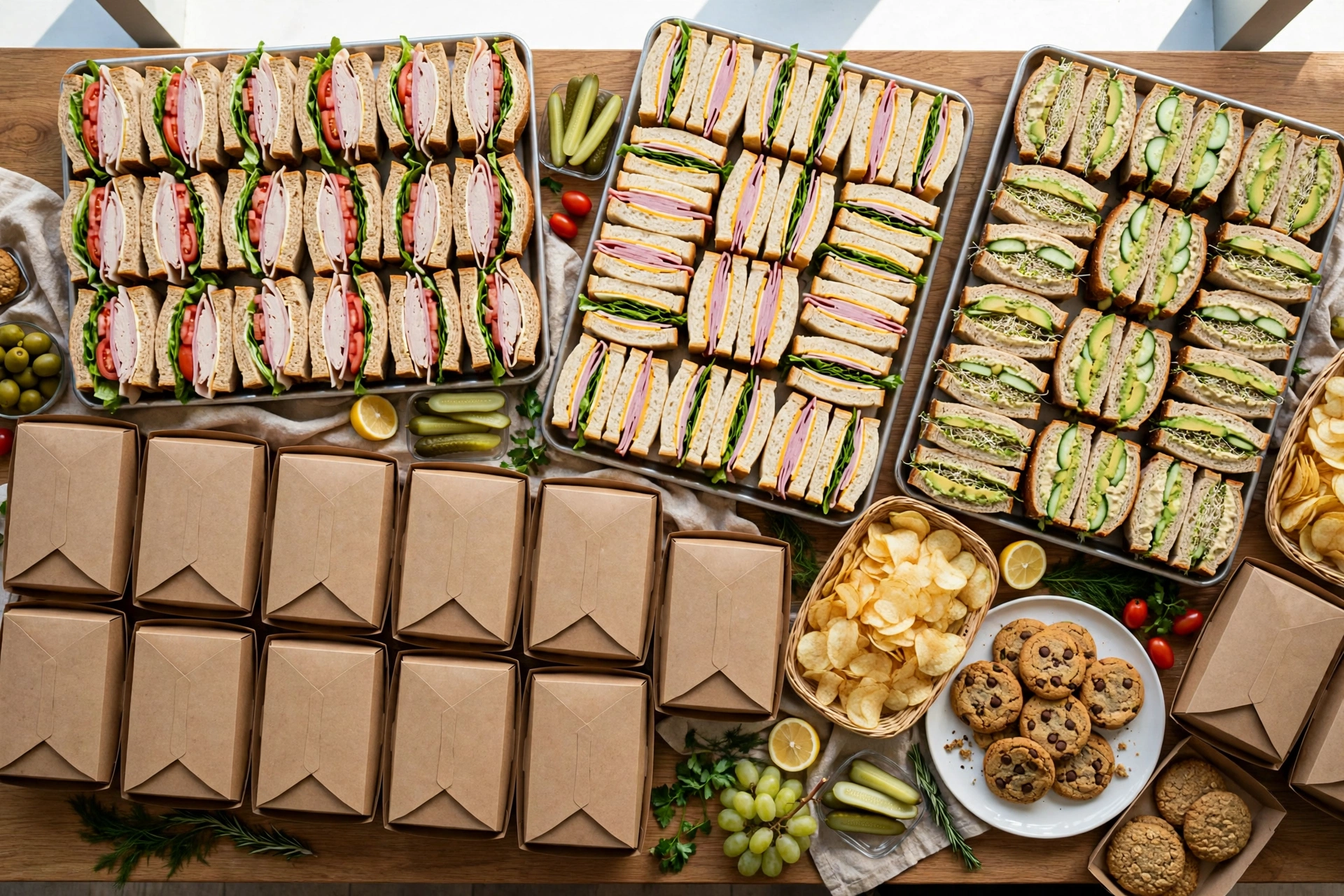
Party boxes are the shared route. An 18-piece box holds 18 sandwich thirds and feeds 6 to 9 people; a 30-piece box holds 30 thirds and feeds 10 to 15; a 12-Pack holds 12 half sandwiches or wraps and feeds 6 to 9. You can pick any 8-inch Favorite or Original sandwich for the boxes, mix several types, or ask for a variety. A 30-piece Originals box was reported at about $67.89 to $99.99 at sampled stores in October 2026, and the Favorites version at about $79.89 to $119.99 — reported at some locations, varies, confirm locally. That works out to roughly $5 to $10 per person for the sandwiches, which is the cheapest per-person route in this guide.
Box lunches are the individual route. Each person gets one complete meal: an 8-inch sandwich or wrap, chips, a pickle spear, and a cookie, typically reported at roughly $10 to $14 per person, with some location checks running higher. Box lunches are the right choice when people have different dietary needs, because each meal is packed and labelled separately and nobody has to share from a common box. They are also the right choice for meetings and training sessions, where people eat at their desks and there is no table to lay a spread on. The trade-off is price and lead time: box lunches cost more per head than party boxes, and a large box lunch order needs more notice — several days for a multi-hundred order, according to catering guides.
Catering bundles sit between the two. A small bundle feeds 6 to 10 and a large bundle feeds 15 to 20, combining a party box with sides and desserts at a bundled price. A large bundle was reported at roughly $197 to $290 in October 2026 checks. Bundles are the “one order and done” option: you stop thinking about sides entirely. They are a poor fit if half your group will not eat the included sides, because you are paying for food nobody asked for.
Payment on a direct catering order is simple and old-fashioned: one person pays. The organiser puts the whole order on one card, or pays in-store, and settles up with the group afterwards. There is no built-in split payment on jimmyjohns.com. If your office has a catering budget, this is the easiest route to expense, because there is one receipt for one order. If your group is a bunch of friends splitting the cost, collect the money before you order — chasing twelve people for $7 each after lunch is a miserable job, and the apps below exist precisely to avoid it.
Route 2: DoorDash Group Order for Jimmy John’s
If your group wants everyone to pick their own sandwich and pay for themselves, DoorDash is the most practical route. A DoorDash group order is a shared cart: one person picks Jimmy John’s, starts a group order, and sends a link to the group. Each person opens the link, adds their own meal, and the food arrives in a single delivery. The rest of the group does not need a DoorDash account to join through the link. You can pre-order up to four days in advance, which makes it a good fit for a planned team lunch.
Here is how it works, step by step. Log in to your DoorDash account and choose Jimmy John’s as the restaurant. In the upper right-hand corner, click “Create a group order.” Send the group order link to everyone — text, email, or a team chat all work. Each person adds their own items to the cart. When everyone is done, close the group order and complete checkout. That is the whole flow, and it solves the two problems that make group ordering painful: nobody has to collect orders by hand, and nobody has to guess what anyone else wants.
Payment is where DoorDash earns its keep for groups. With a DoorDash for Business account, you choose one of two setups when you start the order, and you cannot switch afterwards, so choose carefully. Either the company pays — everyone orders within a per-person budget you set, and the total goes on the company account — or everyone pays separately, with each person checking out for their own items on their own card. With split billing, the delivery fee is divided evenly, service fees are split based on what each person ordered, and tips stay private. For a personal group order, the standard flow is that the organiser checks out for the whole cart, so agree on payment before you share the link.
There are limits to know about. DoorDash says group orders work best for in-person teams of up to about 15 people. Keep in mind that each group order link is its own delivery, so if you start two carts for the same lunch, expect two drivers. And for very large orders, catering platforms warn that delivery apps can be a poor option: large orders may be split across drivers, and services sometimes cancel large orders at the last minute. If your group is fifteen or fewer and everyone wants their own sandwich, DoorDash is the best route. If your group is thirty, use catering instead.
Route 3: Uber Eats Group Order for Jimmy John’s
Uber Eats offers the same shared-cart idea under the name “group order.” Sign in to the Uber Eats app or website, select “Group order” (or “Start group order” on the website), and share the link with your group. Each participant adds their own items, and the organiser closes the order and checks out. You can also set a group order to repeat — for example, a weekly Friday team lunch — with an end date or running indefinitely, which is handy for a standing office lunch.
Payment on Uber Eats has two options, chosen when the order is created. Either “You pay for everybody,” which is the default and suits an organiser with a budget or a manager with an order limit, or “Guests pay for themselves,” where each participant pays for their own order, taxes, and fees, and each participant needs to be logged into their own Uber Eats account to provide payment information. An order can be split a maximum of 18 ways. A bill-split order is simply a group order in which each participant pays for themselves.
Choose between DoorDash and Uber Eats on practical grounds, not brand loyalty: which app your group already has installed, which one lists your local Jimmy John’s with better delivery times and fees that day, and whether you need the repeat-order feature. Both charge delivery and service fees on top of menu prices, and both will cost more per person than ordering catering directly — you are paying for the convenience of individual choice and split payment. If cost per person is the priority, a party box from the store wins. If individual choice is the priority, a group order on an app wins.
Route 4: Office Catering Platforms — CaterCow and ezCater
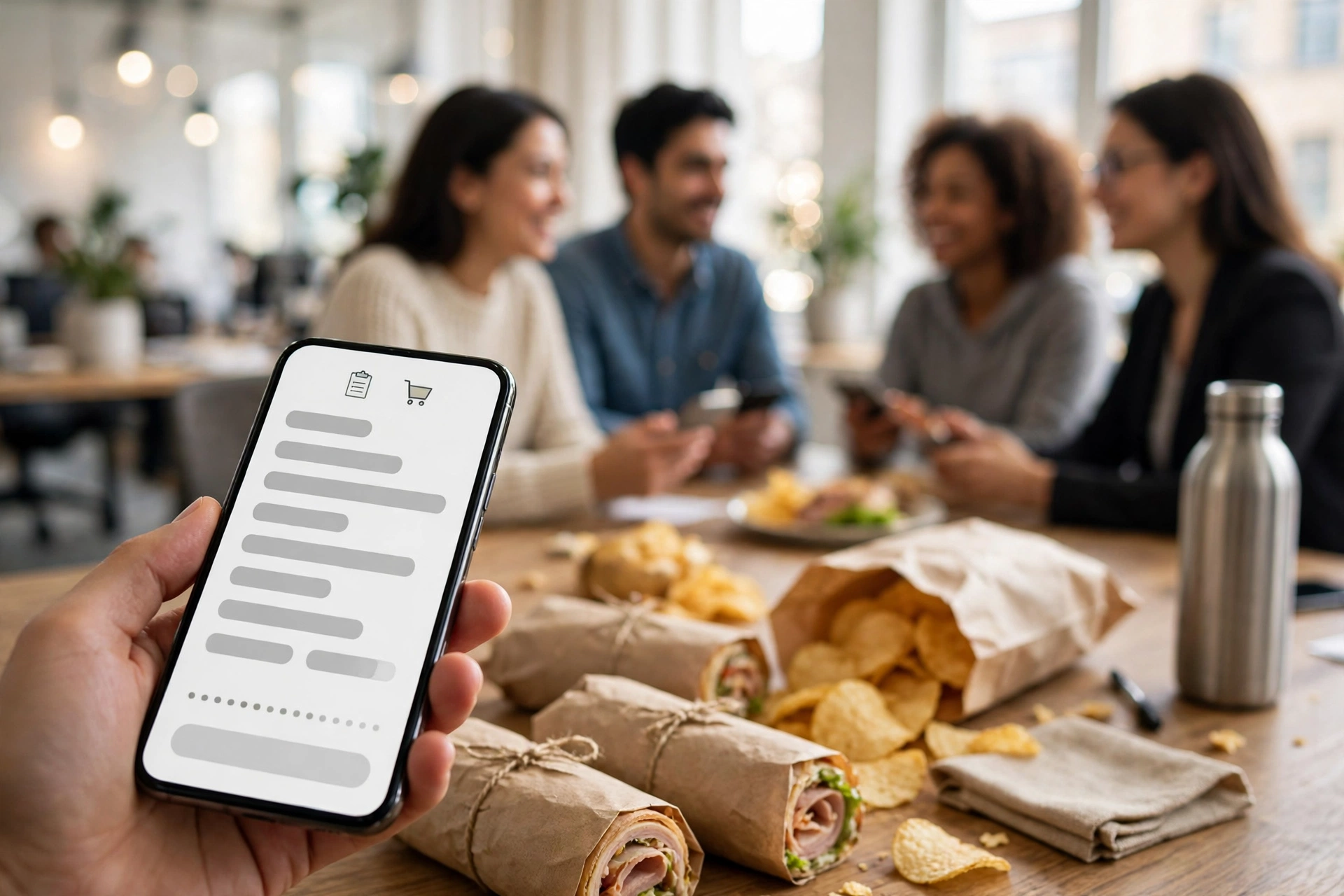
For workplaces that order group lunches regularly, the catering platforms are worth knowing about. CaterCow coordinates Jimmy John’s group orders in the Los Angeles market, where Jimmy John’s has partnered with it for group delivery. Each person in the group can customise their own sandwich or meal, orders are labelled by employee name with dietary restrictions noted, and the minimum order size in Los Angeles and Beverly Hills is 12 or more people. Orders need to be placed by 3:00 p.m. the day before, and payment can be by credit card, debit card, or invoicing — which is more flexible than what a single Jimmy John’s location can usually offer. CaterCow also warns that last-minute large orders through delivery apps can be unreliable, which is a fair point if you have ever had a big order cancelled on the day.
ezCater is the other name to know. It lists Jimmy John’s catering — party boxes, box lunches, and bundles — for office ordering, with the same kind of per-person labelling and centralised billing. The platform’s own guide lists an Originals party box at $56.39 at the stores it sampled, though it does not make the size clear, so treat that as a rough indication rather than a quote. The real value of ezCater and CaterCow is not price — it is administration. One invoice, one point of contact, individual meals labelled by name, and dietary restrictions handled as part of the order rather than as a favour you ask the store for at the last minute.
None of this is necessary for a one-off lunch for eight people. It becomes worth it when you are ordering for a team every week, when you need invoices for expenses, or when you need twenty individually labelled meals to arrive at a conference room at noon without you standing in the store. If that is your situation, set up the platform account once and reuse it; the first order takes the longest, and every order after it is mostly a repeat.
How Payment Works for a Jimmy Johns Group Order
Payment is the part of a group order that causes the most arguments, so here it is in one place. On jimmyjohns.com and in the app, one person pays for the whole order. There is no split-payment feature on Jimmy John’s own channels that we could verify, and no group-order link to send around. If you order catering directly, budget for one card, one receipt, and settling up afterwards — or get the office to pay and expense it as one catering order.
On DoorDash, you pick company-pays or everyone-pays-separately when you create the group order, and you cannot change it later. On Uber Eats, the choice is “you pay for everybody” or “guests pay for themselves,” with a maximum split of 18 ways. On CaterCow, payment is by card or invoicing, which suits offices that need a paper trail. The honest summary is that split payment only exists on the third-party apps and platforms, not on Jimmy John’s own ordering. If “everyone pays for themselves” is a hard requirement for your group, order through an app. If one person or the office is paying, ordering directly from Jimmy John’s is simpler and cheaper.
A practical tip regardless of route: agree on the budget before anyone orders. Set a per-person cap — say, one sandwich and one side each — and say it in the same message as the order link. Group orders drift upward when people add cookies, drinks, and extra sides without thinking about it, and the organiser is the one who discovers the total at checkout. A stated cap prevents that conversation entirely.
How Far in Advance Should You Order?
Lead times depend on the route and the size. For a direct catering order, Jimmy John’s asks for 24 hours of notice as a courtesy, and small orders are often possible the same day if you call the store. Large orders need more notice, and multi-hundred box lunch orders need several days. Catering can be scheduled up to 30 days in advance through the website. For sports teams, some stores require orders at least 24 hours in advance with no exceptions, and ask for the student name, school, and team to be entered in the account name fields so orders are grouped correctly.
On DoorDash, group orders can be pre-ordered up to four days in advance. On CaterCow, the cutoff is 3:00 p.m. the day before. On Uber Eats, group orders can be scheduled and even set to repeat weekly. The practical rule is to place a group order the day before for anything over ten people, and to give yourself a full week for anything over fifty. Calling the store directly is the fastest way to confirm whether a same-day order is possible — the app may accept an order the store cannot comfortably fulfil, and a two-minute phone call avoids a disappointing lunch.
Pickup or delivery? Jimmy John’s catering is available for both, depending on the store. Pickup is the safer choice for a tight schedule, because you control the timing and there is no driver delay. Delivery is the easier choice for an office, because the food comes to the meeting room. If you choose delivery, confirm the delivery window and have someone ready to receive the food — sandwich boxes left at a front desk go cold and soggy while nobody notices them.
Is There a Minimum for a Jimmy Johns Group Order?
It depends on the route. Ordering directly from Jimmy John’s, there is no minimum at all — the chain says it will cater for five or fifty, and a single 18-piece party box for six people is a normal order. Through CaterCow in Los Angeles, the minimum is 12 or more people. Through DoorDash and Uber Eats, there is no stated minimum headcount, but group orders work best at around 15 people or fewer, and the apps charge delivery and service fees that make very small orders poor value. The real minimum is practical, not official: if your group is three people, just place a normal order. The group-order machinery only earns its keep once you have six or more mouths to feed and more than one sandwich preference in the room.
Maximums are looser. Jimmy John’s catering can scale to hundreds of box lunches with enough notice, and there is no published cap on party boxes. The constraint is the store’s capacity on the day, not a policy number. If you are feeding more than fifty people, call the store a week ahead and ask what they can handle, rather than placing a giant order in the app and hoping. A store that knows a big order is coming will staff for it; a store that discovers one in the app queue may not.
What Should You Order for a Group? Party Box, Box Lunch, or Individual Sandwiches?
The right format depends on how your group eats. If everyone eats together in one room and nobody has complicated dietary needs, a party box is the cheapest and easiest option. One 30-piece box feeds 10 to 15 people for roughly $5 to $10 per person in sandwiches, and you can add chips, cookies, and drinks to taste. If people eat at their desks, or you need each meal labelled, or several people have different dietary requirements, box lunches are the better format at roughly $10 to $14 per person. If everyone wants their own specific sandwich with their own customisations and wants to pay for themselves, a shared-cart group order on DoorDash or Uber Eats is the best tool, even though fees make it the most expensive per person.
| Route | Best for | Cost per person (reported) | Who pays |
|---|---|---|---|
| Party box (direct) | Shared lunch, 6 to 15 people | Roughly $5 to $10 (sandwiches only) | One person or the office |
| Box lunch (direct) | Meetings, desks, dietary variety | Roughly $10 to $14 | One person or the office |
| Catering bundle (direct) | Complete spread, 6 to 20 people | Roughly $10 to $15 | One person or the office |
| DoorDash group order | Individual choice, up to 15 people | Menu price plus delivery and service fees | Company or split |
| Uber Eats group order | Individual choice, split up to 18 ways | Menu price plus delivery and service fees | Organiser or split |
| CaterCow / ezCater | Regular office orders, invoicing | Catering prices plus platform fees | Card or invoice |
How much food do you actually need? For party boxes, plan two to three sandwich thirds per person when the sandwiches are the meal, and two per person when they are a snack alongside other food. For box lunches, one per person is the whole meal by definition. For a shared-cart group order, each person orders for themselves, so the quantity problem disappears — which is half the point of that route. Add a bag of chips and a drink per person, and a cookie or two per person if the budget allows. And if you are ordering for a team that includes teenagers or people who have just finished physical work, order one box more than the headcount maths suggests. Hunger is the one thing nobody budgets for.
Dietary Needs, Allergies, and Customisation in a Group Order
Group orders go wrong most often on dietary needs, so handle them first, not last. On a shared-cart app order, each person customises their own sandwich, which is the cleanest solution — the vegetarian orders a veggie sandwich, the gluten-free eater orders an Unwich, and nobody has to negotiate. On a direct catering order, you have to plan for it: pick an assortment that includes a vegetarian option, order a few Unwiches for gluten-free eaters, and tell the store about allergies when you order. Check the Jimmy John’s allergen menu and our gluten-free guide before you promise anyone a safe meal, and read our Jimmy John’s bread guide if the question is which breads and wraps are available.
Three warnings from catering guides and store instructions. First, sandwich thirds share a box, so cross-contact is possible — a party box is not the right format for someone with a severe allergy. Order that person a separate, sealed box lunch instead. Second, watch out for Slims in the box lunch menu: a Slim is bread, meat, and cheese only, with no vegetables or sauce, and it is easy to select one by accident. Third, order mayo on the side, with packets, for any group order that will sit for more than a few minutes before serving. It is the single most repeated tip from catering staff, and it is the difference between a crisp sandwich and a soggy one.
If you want a quick sense of the lighter and heavier choices before you build the order, our is Jimmy John’s healthy guide breaks down the sandwiches by calories and nutrition, and the full menu guide covers the whole sandwich lineup. For the sandwiches that are most popular in group orders, start with the Turkey Tom, the Italian Night Club, and the Vito, and add a Chicken Bacon Ranch if your group likes something richer. If you are still weighing whether Jimmy John’s is worth the price for a group at all, our why is Jimmy John’s so expensive piece explains the pricing, and our Freaky Fast Rewards guide shows how the organiser can at least earn points on the order.
Can You Track a Jimmy Johns Group Order?
Yes, on every route, though the tracking looks different each time. A direct order from Jimmy John’s can be tracked through the app or through the order confirmation link, and the store can confirm timing by phone if you are collecting a catering order. A DoorDash group order is tracked in the DoorDash app, where the organiser and the group can see the delivery progress. An Uber Eats group order is tracked in the Uber Eats app the same way. CaterCow and ezCater orders are tracked through the platform, and the coordinator is the point of contact for timing questions.
For catering pickups, tracking is less important than timing: confirm the pickup time with the store, and have someone arrive five minutes early rather than five minutes late. Sandwiches are made fresh, and a party box that waits on a shelf is a party box going stale. If you are ordering for a meeting, set the pickup or delivery time for fifteen minutes before the meeting starts, not at the meeting start time — the buffer covers traffic, a slow elevator, and the five minutes it takes to lay the food out.
Common Group Order Mistakes to Avoid
Most group order failures are avoidable, and they are almost always the same five. The first is ordering a party box for a group that needed box lunches — everyone with a dietary requirement ends up picking at the same thirds, and someone goes hungry. The second is forgetting the sides: a party box is sandwiches only, and a group with no chips, no drinks, and no dessert will notice. The third is the payment conversation that never happened: the organiser pays for a $120 order and then spends a week collecting $8 from eleven people. The fourth is ordering too late — a same-day request for fifty box lunches is a phone call that ends in disappointment. The fifth is the Slim accident, where someone’s sandwich arrives with no vegetables and no sauce because nobody checked the menu item.
One more mistake is worth naming: using a delivery app for a very large order. Catering platforms warn that delivery apps may split large orders across drivers and sometimes cancel them at the last minute, and the apps themselves say group orders work best up to about 15 people. If your group is thirty, do not build it as two DoorDash carts and hope for the best. Order catering from the store, where the order is one job for one kitchen, and save the apps for the groups they are built for. And if your team orders together often, look at the repeat-order feature on Uber Eats or a standing arrangement with a catering platform — the second order is always easier than the first, and a saved group order template is the difference between a ten-minute task and a forty-minute one.
Frequently Asked Questions
How does a Jimmy Johns group order work?
A group order means one order feeding many people. You can order catering directly from Jimmy John’s (party boxes or box lunches), start a shared-cart group order on DoorDash or Uber Eats where everyone adds their own meal through a link, or use an office catering platform such as CaterCow or ezCater. Each person can customise their own sandwich on the app and platform routes; on the direct catering route, the organiser picks the assortment.
Does Jimmy John’s have a group order link on its own website or app?
We could not verify a native group-order invite link on jimmyjohns.com or in the Jimmy John’s app. The official site offers regular ordering, Order Ahead, and catering. A shared-cart group order link is available through DoorDash and Uber Eats, which both list Jimmy John’s. A design case study describes a proposed Jimmy John’s group-ordering flow, but it is a proposal, not a confirmed live feature.
How do I start a Jimmy Johns group order on DoorDash?
Log in to DoorDash, choose Jimmy John’s, and click “Create a group order” in the upper right-hand corner. Share the group order link with your group, and each person adds their own items to the shared cart. When everyone is done, close the group order and complete checkout. The rest of the group does not need a DoorDash account to join through the link, and you can pre-order up to four days in advance.
Can everyone pay for themselves on a Jimmy Johns group order?
Yes, but only on the third-party routes. On DoorDash, choose “everyone pays separately” when you create a group order with a business account; on Uber Eats, choose “guests pay for themselves,” with a maximum split of 18 ways. On jimmyjohns.com itself there is no split-payment feature we could verify — one person pays for the whole order and settles up afterwards.
Is there a minimum number of people for a Jimmy Johns group order?
Ordering directly from Jimmy John’s, there is no minimum — the chain says it will cater for five or fifty. Through CaterCow in Los Angeles, the minimum is 12 or more people. DoorDash and Uber Eats have no stated minimum headcount, but group orders work best at around 15 people or fewer. In practice, the group-order routes only earn their keep at six or more people.
How far in advance can I schedule a Jimmy Johns group order?
Direct catering can be scheduled up to 30 days in advance, with 24 hours of notice appreciated and same-day orders often possible for small orders if you call the store. DoorDash group orders can be pre-ordered up to four days in advance. CaterCow requires orders by 3:00 p.m. the day before. Uber Eats group orders can be scheduled and set to repeat weekly.
What is the cheapest way to feed a group at Jimmy John’s?
A party box ordered directly from Jimmy John’s is the cheapest route, at roughly $5 to $10 per person for the sandwiches — a 30-piece Originals box was reported at about $67.89 to $99.99 at sampled stores in October 2026 and feeds 10 to 15 people. Box lunches run roughly $10 to $14 per person, and app group orders add delivery and service fees on top of menu prices. Prices vary by location, so confirm locally.
Can I track a Jimmy Johns group order?
Yes. A direct order can be tracked through the Jimmy John’s app or the order confirmation link, and the store can confirm timing by phone. DoorDash and Uber Eats group orders are tracked in their own apps. CaterCow and ezCater orders are tracked through the platform, with the coordinator as the point of contact.
Can I order Jimmy John’s for a group on Uber Eats?
Yes. Sign in to the Uber Eats app or website, select “Group order” or “Start group order,” and share the link with your group. You can choose “you pay for everybody” or “guests pay for themselves,” with a maximum split of 18 ways, and you can set a group order to repeat weekly with an end date or indefinitely.
Can each person customise their own sandwich in a Jimmy Johns group order?
Yes on the app and platform routes — each person customises their own sandwich when they add it to the shared cart. On a direct catering order, customisation is handled by the organiser: party boxes can mix several sandwich types, Unwich lettuce wraps are available for the 18-piece and 30-piece boxes, and box lunches can be ordered individually per person with their own customisations.