
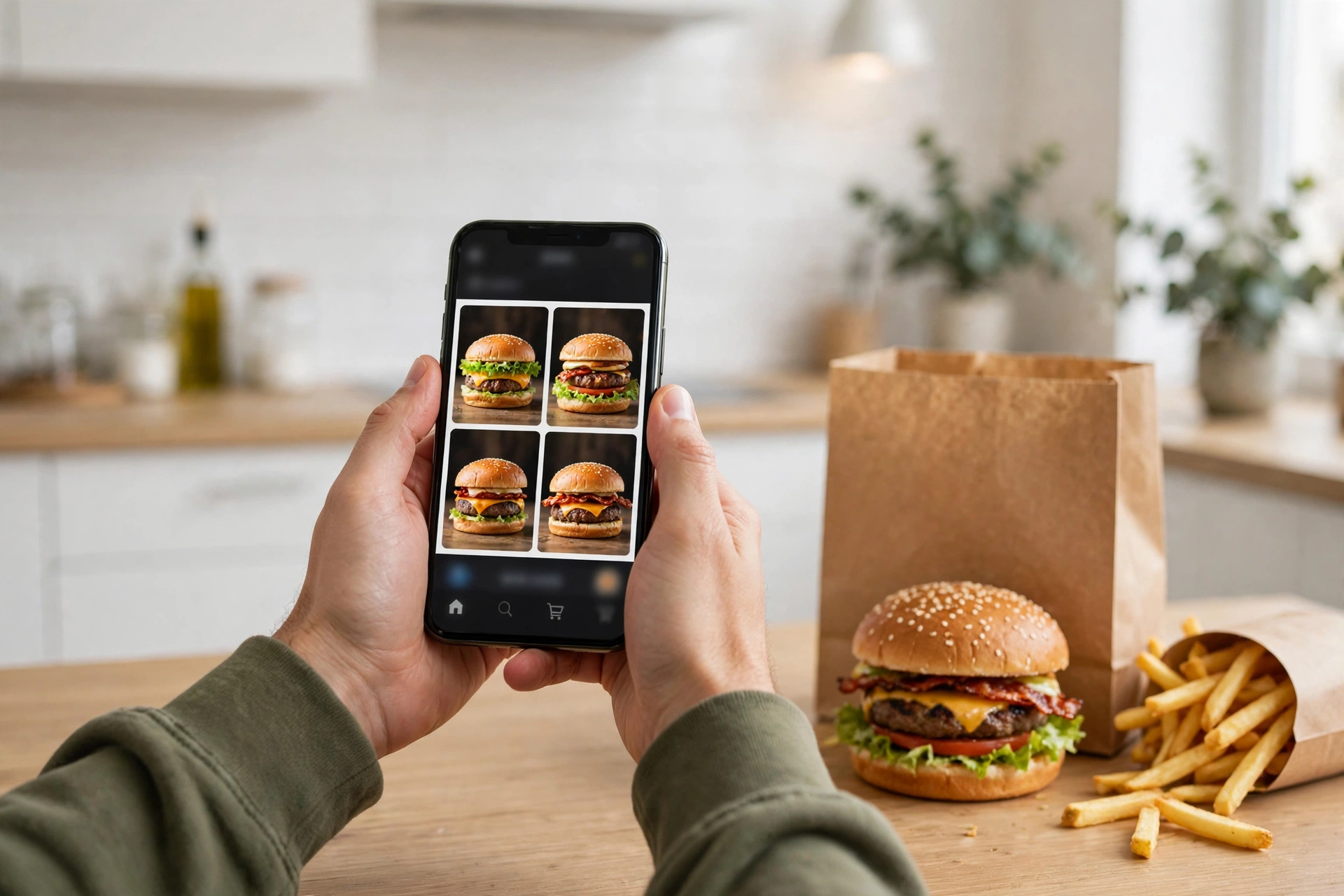
BK online menu ordering is now the cheapest way to eat at Burger King, and it is also the most confusing part of the chain for first-timers. The online menu lives in two places — the bk.com website and the Burger King app — and the two do not show exactly the same thing. The app carries digital-only deals, Royal Perks rewards and online-only bundles that never appear on the in-store board, while the website is the quickest way to browse the full menu and place a pickup order without installing anything. This guide walks through the whole bk online menu: how to order on bk.com and in the app, what delivery and pickup actually cost, how Royal Perks works online, which deals are digital-only, and the problems people run into most.
One warning up front, because it catches people out: Burger King is franchised, so the online menu, the prices and even the deals change from one restaurant to the next. The app always shows the menu for the specific location you pick, and that is the only version that counts. Prices in this guide are reported ranges from independent trackers checked in October and November 2026, and they are framed as ranges for exactly that reason. If you want the full Burger King menu with prices rather than the online ordering guide, start with our BK menu guide.
What Is the BK Online Menu?
The BK online menu is Burger King’s digital menu — the version of the menu you see on bk.com and in the Burger King app when you order ahead. It covers the same core food as the in-store board — Whoppers, chicken, breakfast, sides, drinks and desserts — but it is organised for ordering rather than for reading: categories you tap through, items you customise, and a cart that totals everything before you pay.
Three things make the online menu different from the board on the wall. First, it shows your local prices. The app and the website price the menu for the restaurant you select, so the Whopper you see is the Whopper that restaurant charges, not a national average. Second, it carries digital-only offers. The $5 Duo and $7 Trio, Whopper Wednesday, the $5 Your Way Meal and the rotating Royal Perks deals are app and website offers first, and some of them do not exist at the counter at all. Third, it is where Burger King tests new things. Limited-time items and online-only bundles appear on the digital menu before they reach the in-store board, and sometimes they never reach it.
The online menu is not a single page you can print. Burger King does not publish a national online menu PDF, and the menu you see depends on the restaurant you choose. That is deliberate: franchise owners set their own prices and their own availability, so the menu is built per location. The practical consequence is simple — always pick your restaurant first, then browse. Browsing without a location shows you a generic menu that may not match what your store sells or charges.
How to Order on BK.com: Step by Step
Ordering on bk.com is the fastest route if you do not want the app. It works in any browser, on a phone or a computer, and it uses the same account as the app, so your Royal Perks Crowns and saved favourites carry over.
Step one is to go to bk.com and pick your restaurant. The site asks for your location or a ZIP code and shows nearby restaurants, with their distance, their hours and whether they offer pickup, drive-thru pickup or delivery. Pick the one you are actually going to, because the menu and the prices are tied to that restaurant.
Step two is to browse the menu. The website organises the menu into categories — featured items, Whoppers and burgers, chicken and fish, sides, breakfast during morning hours, drinks, sweets and value deals — and each item shows its price at that restaurant, its calories and a customisation screen.
Step three is to customise. Every sandwich has an options screen where you can add or remove ingredients — extra cheese, no onion, extra mayo, no pickles — and most customisations are free, though adding bacon or an extra patty costs extra. This is also where you pick a meal instead of a sandwich: adding fries and a drink usually adds about $4 to $5 to the sandwich price.
Step four is to check the Offers tab before you check out. Digital offers live here, and they are easy to miss. The $5 Duo, the $7 Trio, Whopper Wednesday and the rotating Royal Perks deals all appear in this tab, and you have to add them to the order yourself — they do not apply automatically.
Step five is checkout. You pay by card or through a saved payment method, and you choose pickup or delivery. For pickup you pick a time, including scheduling an order in advance, and the site tells you when it will be ready. For delivery you enter an address and the site shows the delivery fee and the estimated time before you confirm. Always read the total before you pay: delivery fees, service fees and tax are added at this stage, and delivery prices are often higher than pickup prices for the same items.
How to Order in the Burger King App: Step by Step
The Burger King app does everything bk.com does, plus the loyalty program. It is free on iOS and Android, it has been downloaded more than 10 million times, and it carries an average rating of about 4.4 stars from roughly 306,000 ratings. If you order from Burger King more than once a month, the app is worth having, because the best deals are app-first.
Download the app and create an account. Registration enrols you in Royal Perks automatically, and you start earning Crowns on your first order. Allow location services when the app asks, because the app uses your location to show nearby restaurants and the offers valid at them.
Pick your restaurant from the home screen. The app shows the menu for that restaurant with local prices, and it marks which items are available for pickup, drive-thru pickup or delivery at that location. Not every restaurant supports every feature, so if delivery is missing at your store, that is a location limit rather than an app problem.
Browse the menu and build your order the same way as on the website, with the same customisation screens. The app also saves your favourite orders, so a regular order can be reordered in a couple of taps instead of rebuilt from scratch.
Check the Offers tab and the Rewards tab before checkout. This is the step most people skip, and it is where the money is. The Offers tab holds the current digital deals; the Rewards tab holds the free items your Crowns can buy. You can use either an offer or a free-item reward in a single transaction, not both, and there is a 60-minute wait before another eligible reward can be used, according to Burger King’s own terms as reported by deal trackers.
Pay in the app with a saved card or PayPal, choose pickup or delivery, and watch for the ready notification. The app notifies you when your food is ready, and it has a delivery tracking feature for delivery orders. Scheduled orders are supported: you can place an order in advance and the app will tell you when to come and get it.
BK Online Menu: Delivery vs Pickup
Delivery and pickup are not interchangeable, and the difference is mostly money. Pickup through the BK app or bk.com is the cheapest way to get Burger King: you pay the menu price for your restaurant, plus tax, and the app-only deals apply in full. Delivery costs more in three ways — the menu prices themselves are often higher on delivery, a delivery fee is added, and a service fee and tip are added on top. One app review put it plainly: to get the lowest price, always order pickup through the BK App or online.
Delivery through Burger King’s own app is available at participating restaurants, and it is fulfilled by Burger King’s delivery partners. Delivery through third-party apps — DoorDash, Uber Eats and Grubhub — is a separate channel with its own prices and its own promotions. The Royal Perks deals and the BK app offers do not transfer to third-party apps: an offer that is valid in the BK app is not valid on DoorDash, and the Crowns you would earn on a BK app order are not earned on a third-party order. Third-party prices also run higher than in-store prices, commonly by 20 to 30 percent on delivery, according to menu trackers.
Pickup has two forms. In-store pickup means you walk in and collect the order from the counter. Drive-thru pickup means you order in the app, drive to the restaurant and collect it at the drive-thru window, usually by giving your name or an order code. Some digital deals are pickup-only, including the Whopper Wednesday offer as reported by several trackers, so check the terms on the offer you are using.
Availability is the catch. Delivery is not available in all areas, not all restaurants offer it, and some items are not available for delivery at all. If the app does not show delivery for your restaurant, that is the answer — the store does not offer it, and no setting in the app will change that.
Royal Perks: The Rewards Program Behind the Online Menu
Royal Perks is Burger King’s free loyalty program, and it is the engine that makes the online menu worth using. You earn 10 Crowns for every $1 you spend on eligible purchases at participating US restaurants, on bk.com, in the BK app or on delivery. Crowns are the program’s points, and they redeem for free food in tiers: trackers report free items starting at around 250 to 300 Crowns for small fries or hash browns, 400 Crowns for a Whopper Jr. or 4-piece nuggets, and a free Whopper at 600 to 1,500 Crowns depending on the source. That disagreement is real — different trackers report different redemption tiers, and the tiers have changed over time — so this guide reports the range and flags it rather than stating one figure as fact. Check the Rewards tab in your own app for the tiers that apply to you.
Membership also brings perks beyond points. Members get a free item on their birthday — usually a free Whopper — and some trackers report free any-size fries once a week for members. You can also earn Crowns in the restaurant by giving the cashier your 6-digit loyalty code from the My Code tab in the app before you pay, so the program is not app-only. Crowns expire on the first day of the month after the sixth month from when they were earned, according to Burger King’s terms as reported by trackers, and at least one source describes the rule as Crowns never expiring if you make one purchase every 180 days. Those two descriptions may be the same rule stated differently, but they are not identical, so check the terms in the app.
Only one offer or one eligible reward can be redeemed per transaction, and there is a 60-minute wait before another eligible reward can be used. That matters when you are planning a big order: you cannot stack a Whopper Wednesday deal and a free Whopper reward in the same transaction.
Online-Only Deals and Digital Exclusives
The digital exclusives menu is the part of the BK online menu that does not exist in the restaurant at all. These are limited-time offers, app-only combos and member-only perks available only through the BK app or bk.com, not at the counter and not on third-party delivery apps. They refresh regularly, and the only reliable way to see the current list is the Offers tab.
The standing digital deals include the $5 Duo, where you choose any two qualifying items — usually a Whopper Jr., Bacon Cheeseburger, Original Chicken Sandwich, 8-piece Chicken Fries, medium fries or a medium soft drink — for $5, and the $7 Trio, which adds a third item for $7. The $5 Your Way Meal, a sandwich plus 4-piece nuggets, value fries and a small drink for $5, is also primarily a digital offer, though some locations honour it at the counter. Whopper Wednesday, a full-sized Whopper for about $3 to $3.99 through the app on Wednesdays for Royal Perks members, is the most popular weekly deal — and the price is reported as both $3.00 and $3.99 by different sources, so confirm it in your app on the day.
Rotating offers appear and disappear weekly. Recent examples reported by trackers include a $3 Cini Minis and coffee bundle for Royal Perks members, a buy-one-get-one Original Chicken Sandwich for members, a free Original Chicken Sandwich with a $3 or more app order, and a $5 Breakfast Bundle of a biscuit sandwich, small hash browns and a small coffee during breakfast hours. None of these is permanent, and all of them are limited to participating restaurants. The honest rule is that any specific offer in this section may have expired by the time you read it — the Offers tab is the authority.
Online-Only Items and Limited-Time Drops
Some items only ever appear online. The clearest current example is the BK Advent Calendar, announced for online drops from November 16 to November 20, 2026, at a reported $19.54, including a miniature buildable BK restaurant and a $5 Royal Perks digital coupon, sold through BKAdventCalendar.com. That date is in the future at the time of writing, so treat it as announced rather than confirmed.
More broadly, Burger King uses the digital menu to launch limited-time items: the Game Day Pretzel Burger and Chicken Fries with Nacho Cheese Sauce arrived in October 2026, new Chicken Nuggets arrived in August 2026, and the Hello Kitty and Friends King Jr. Meal launched on October 20, 2026. Seasonal shake collaborations and themed menus — Halloween, movie tie-ins, anime collaborations — also appear on the digital menu first. If you are chasing a limited-time item, the app is the place to check, because the in-store board may not list it yet or may have already taken it down.
How the Online Menu Differs From the In-Store Menu
The online menu is slightly smaller than the in-store menu, and that surprises people. App reviewers note “limited menu options compared to in-store” as one of the app’s drawbacks: some items, especially local and test items, are not listed online, and some customisations available at the counter are not available in the app. The reverse is also true — the digital exclusives and app-only bundles do not appear on the in-store board. The two menus overlap heavily but neither is a complete copy of the other.
Prices also differ by channel. The same item can cost more on delivery than on pickup, and more on a third-party app than on bk.com. Burger King’s own terms say prices may be higher on delivery, and trackers consistently find third-party delivery prices running above in-store prices. If you are comparing prices between channels, compare the final total including fees, not the sandwich price alone.
Breakfast is available online during the same hours as in the restaurant — from about 6:00 in the morning until 10:30, extending to 11:00 on Sundays and weekends at many locations. The app stops showing breakfast items at the cutoff, so an order placed at 10:31 will not include a Croissan’wich. There is no all-day breakfast online either.
Customising, Nutrition and Allergens Online
Customisation is one of the best reasons to order online. The app and the website let you change every sandwich — add or remove lettuce, tomato, onion, pickles, mayo, ketchup, cheese and bacon, add an extra patty, or swap a sauce — and the price updates before you pay. Most removals and swaps are free; adding bacon or a patty costs extra. Ordering a Double Cheeseburger with lettuce, tomato, onion and mayo added is the well-known value hack that eats like a Whopper with Cheese for less money, and it is much easier to build in the app than to explain at a drive-thru speaker.
Nutrition information is shown item by item when you build an order online, with calories listed on each item page. Burger King’s own published US nutrition document was last revised in 2020, so the app figures are the more current source for most items. For allergens, the official guide is at bk.com/allergens. The online menu does not carry a full allergen table per item, and the kitchen handles wheat, milk, egg, soy, fish and sesame on shared equipment, so people with severe allergies should check the official guide and confirm with the restaurant.
Paying Online: What Burger King Accepts
On bk.com and in the BK app you can pay with a saved credit or debit card, and the app also supports PayPal. You can store a card securely in the app for faster checkout, and you can use Burger King gift cards in the app where the option is shown. Apple Pay and Google Pay availability depends on the device and the app version, and is not documented consistently, so check the payment screen at checkout rather than assuming.
One thing Burger King does not do, officially, is take cryptocurrency. Burger King’s app, bk.com, Royal Perks terms and promotion FAQs do not document a direct crypto payment option, and third-party write-ups that describe paying with crypto are describing a workaround through a separate card product, not a Burger King payment method. If a site tells you Burger King accepts crypto directly, that is not supported by Burger King’s own materials.
Tracking Your Order and Fixing Problems
For pickup orders, the app and the website tell you when your order will be ready, and the app sends a notification when it is. You can schedule orders in advance, which is useful for a lunch break or a family dinner: place the order in the morning and pick a pickup time. For delivery orders, the app has a tracking feature that shows the order’s progress.
When something goes wrong, the fix depends on where you ordered. For an order placed on bk.com or in the BK app, the help route is in the app or on the website — the restaurant can remake a wrong item if you bring it back, but refunds for app orders are handled through Burger King’s digital support rather than at the counter. For a third-party delivery order, the refund route is through the delivery app, not Burger King, because the delivery app took your payment. Keep your order number and a screenshot of the order, because both are needed for a refund claim.
The common problems are consistent across reviews. Orders occasionally arrive with a missing item or the wrong customisation, especially at peak hours. Delivery times slip during lunch and dinner rushes. And some restaurants do not support mobile ordering at all, which the app shows by not offering the option for that location. None of these is a reason to avoid ordering online, but they are reasons to check the bag before you drive away.
Tips to Save Money on the BK Online Menu
The cheapest Burger King order is almost always an online pickup order with a deal applied. Start by checking the Offers tab before you build anything, because the deal changes what you should order — a $5 Duo changes the maths completely compared with ordering items one by one. Then check the Rewards tab, because a free item you have already earned beats any discount.
Order pickup rather than delivery whenever you can. Delivery adds fees and often higher menu prices, and the app-only deals usually do not transfer to third-party platforms. If you do need delivery, order through the BK app rather than a third-party app, because the BK app prices are usually lower and the Royal Perks Crowns still apply.
Use Whopper Wednesday if you eat Whoppers. A full-sized Whopper for about $3 to $3.99 on Wednesdays through the app is the cheapest the flagship sandwich ever gets, and it is a Royal Perks member offer, so you need to be signed in. Use the $5 Your Way Meal as your default lunch: a sandwich, nuggets, fries and a drink for $5 is hard to beat, and it is available most days at most locations.
Join Royal Perks and stay signed in. The program is free, it earns 10 Crowns per dollar on every order, and it unlocks the birthday freebie and the rotating member offers. If you order in the restaurant, give the cashier your 6-digit code from the My Code tab before you pay so the order still earns Crowns.
Finally, compare the meal against the sandwich. Adding fries and a drink to a sandwich usually adds about $4 to $5, but the uplift is not fixed — an October 2026 Reddit thread found a Whopper combo adding $4.75 while a nuggets combo added $3.80 at the same restaurant. Sometimes the Duo or Trio bundle is cheaper than a meal, and sometimes it is not. The app total is the only number that settles it.
If you want to compare Burger King’s digital ordering with another chain’s, our Jimmy John’s online menu guide covers that chain’s ordering system, and our Jimmy John’s order tracker guide explains how its delivery tracking works. For the full Burger King food list, see the BK menu guide, and for the sweet end of the menu, the Burger King desserts guide.
Frequently Asked Questions
How do I order Burger King online?
Go to bk.com or open the Burger King app, pick your restaurant, browse the menu, customise your items, check the Offers tab for digital deals, and pay by card or PayPal for pickup or delivery. You can also schedule a pickup order in advance. Your Royal Perks account works on both bk.com and the app, so your Crowns and saved orders carry over.
Can I order Burger King online for delivery?
Yes, delivery is available through the BK app and bk.com at participating restaurants, and through third-party apps such as DoorDash and Uber Eats. Delivery prices are often higher than pickup prices, delivery and service fees apply, and the BK app-only deals usually do not transfer to third-party platforms. Delivery is not available in all areas or at all restaurants.
Is the BK online menu the same as the in-store menu?
Mostly, but not exactly. The online menu covers the same core food, but it is slightly smaller — some local and test items are not listed online — and it adds digital-only deals and bundles that never appear on the in-store board. Prices also differ by channel, with delivery prices usually higher than pickup prices for the same items.
What is Royal Perks and how does it work online?
Royal Perks is Burger King’s free loyalty program. You earn 10 Crowns for every $1 spent on eligible orders placed on bk.com, in the BK app, on delivery or in the restaurant with your 6-digit loyalty code. Crowns redeem for free food in tiers, members get a birthday freebie, and member-only offers appear in the app’s Offers tab. Only one offer or reward can be used per transaction.
How many Crowns do I need for a free Whopper?
Trackers disagree on the current redemption tier, reporting a free Whopper at anywhere from 600 to 1,500 Crowns, and the tiers have changed over time. The Rewards tab in your own BK app shows the tiers that apply to your account right now, so check there rather than relying on a published figure.
What is Whopper Wednesday?
Whopper Wednesday is a weekly app offer for Royal Perks members: a full-sized Whopper for about $3 to $3.99 through the BK app on Wednesdays at participating restaurants. Sources report the price as both $3.00 and $3.99, so confirm it in your app on the day. It is usually pickup-only and limited to one per member.
Can I use BK app deals on DoorDash or Uber Eats?
No. The deals and Royal Perks points in the Burger King app are exclusive to orders placed directly with Burger King, on bk.com or in the app for pickup or delivery. Third-party delivery services have their own pricing and promotions, and they do not accept BK app offers or earn Royal Perks Crowns.
Does Burger King deliver breakfast online?
Yes, during breakfast hours. Breakfast is available on the BK online menu from about 6:00 in the morning until 10:30, extending to 11:00 on Sundays and weekends at many locations. The app stops showing breakfast items at the cutoff, and there is no all-day breakfast online or in the restaurant.
What payment methods does the BK online menu accept?
On bk.com and in the BK app you can pay with a saved credit or debit card, and the app also supports PayPal. Burger King gift cards can be used in the app where the option is shown. Burger King does not document a direct cryptocurrency payment option in its app, website or Royal Perks terms.
How do I get a refund for a BK online order?
For an order placed on bk.com or in the BK app, refunds are handled through Burger King’s digital support in the app or on the website — keep your order number and a screenshot of the order. For a third-party delivery order, the refund route is through the delivery app, because that app took your payment. A restaurant can usually remake a wrong item if you bring it back.