The jimmy john online menu is how most people order from Jimmy John’s now — through the website at jimmyjohns.com or the Jimmy John’s app, for delivery or pickup. It shows the same sandwiches you will find on the in-store menu board, but with your local store’s prices, live availability, and your rewards balance built in. This guide walks through the whole thing: how to order step by step, what delivery and pickup actually cost, how the online menu differs from the in-store menu, how Freaky Fast Rewards works, how to track your order, and how to place group and catering orders online.
One thing to know before anything else: Jimmy John’s does not publish a national price list. Prices are set by each franchised location, so every dollar figure in this guide is a reported range from recent menu guides and third-party delivery listings. The only way to see your exact price is to pick your store in the app or on the website and start an order. Confirm the price at your local store before you order.
What Is the Jimmy John Online Menu?
The Jimmy John online menu is the digital version of the chain’s menu, available on the Jimmy John’s website and in the Jimmy John’s app for iPhone and Android. It lists the full sandwich lineup — Originals, Favorites and clubs, toasted sandwiches, wraps, Little Johns, Plain Slims, and the J.J. Gargantuan — plus sides, desserts, and drinks. You browse, customize, pay, and choose delivery or pickup, all without calling the store or standing at the counter.
Jimmy John’s runs roughly 2,600 locations across the United States, almost all of them franchised. The chain was founded in 1983 in Charleston, Illinois, and has been owned by Inspire Brands since 2019. Its whole identity is built on speed — bread baked in-store every few hours, hand-sliced meats, fresh vegetables, and the “Freaky Fast” delivery promise. The online menu is the main way that speed reaches your phone: you order ahead, and the sandwich is made when you ask for it.
The online menu is not a separate menu with different food. The sandwiches are the same ones you would order at the counter. What changes online is the information around them: prices for your specific store, which items that store currently has in stock, nutrition and allergen information, and the rewards and promotions tied to your account. That is why two people in different cities can open the same online menu and see different prices for the same Turkey Tom.
How to Order From the Jimmy John Online Menu
Ordering online takes about two minutes once you know the flow. The website and the app work the same way, and the steps below apply to both.
Step 1: Pick your store. Enter your address or ZIP code, or let the app use your location. Jimmy John’s will show you the nearest store and whether it delivers to your address. Delivery is only available inside each store’s delivery zone, and the zone is usually small — the chain keeps delivery areas tight so the “freaky fast” promise holds. If your address falls outside the zone, pickup is your only option from that store.
Step 2: Choose delivery or pickup. Delivery brings the order to your door, with contactless delivery available. Pickup includes in-store pickup and curbside pickup at participating locations. You can switch between delivery and pickup while you are choosing a location, and the app remembers your recent delivery addresses and pickup locations for next time.
Step 3: Build your order. Browse the menu categories — Favorites, Originals, toasted sandwiches, wraps, Little Johns, Plain Slims, Gargantuan, sides, desserts, drinks — and tap a sandwich to customize it. You can change the bread, add or remove vegetables, add extra meat or cheese, and choose a size: Regular (8-inch), Giant (16-inch), or Little John (6.5-inch). Any sandwich can also be ordered as an Unwich, the lettuce-wrap version. Our guide to the Jimmy John’s menu covers the full lineup and what each sandwich contains.
Step 4: Save favorites for next time. The app’s My Faves feature saves your usual order so you can reorder it in a couple of taps. This is genuinely useful at Jimmy John’s because the customization options are the same every time — once your Turkey Tom is built the way you like it, you should not have to rebuild it on every order.
Step 5: Pay and confirm. Pay by card in the app or on the website. The app accepts Google Pay, and Apple Pay is available on iOS. You can also pay at the store for pickup orders in many locations, but paying ahead is what makes pickup fast — you walk in, grab the bag, and leave.
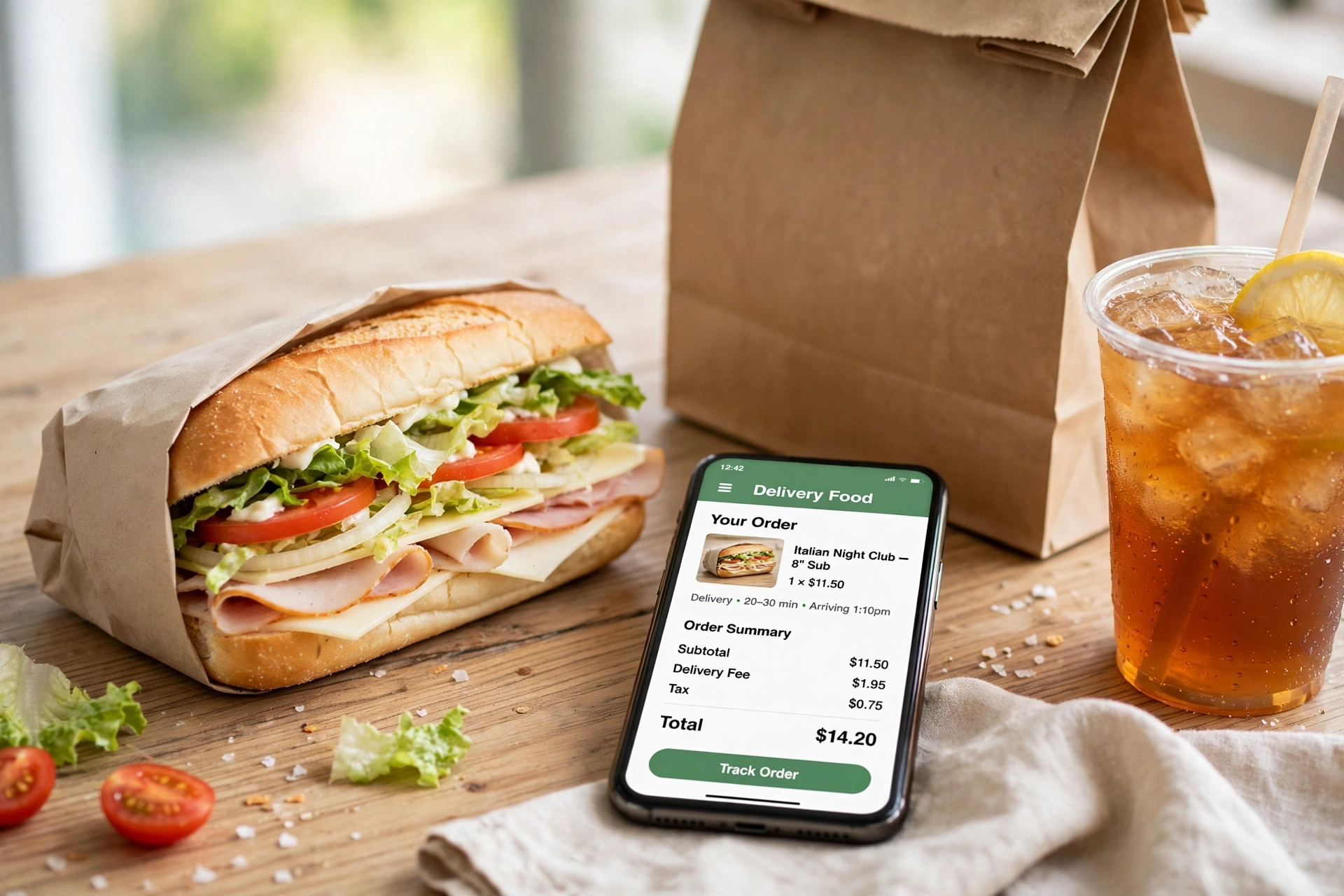
Step 6: Track your order. After you place the order, you get a confirmation by email or text message with a link to track it. The tracker shows the order moving through preparation, out for delivery, and delivered. The app also sends push notifications when your order is out for delivery or ready for pickup. See the tracking section below for what to do if the tracker stalls.
Jimmy John Online Menu Prices
There is no single national price list for the Jimmy John online menu, and any guide that gives you one exact price is guessing. Jimmy John’s is a franchise system, and each store sets its own prices. That is the single most important thing to understand about the online menu: the price you see is your store’s price, not a chain-wide price.
What the reported ranges look like in late 2026: regular 8-inch Originals are reported at roughly $6.99 to $8.49, and most 8-inch Favorites at roughly $8.19 to $9.89, based on a five-store check across Illinois, Michigan, Texas, Florida, and Ohio in October 2026. Individual location listings show the same spread — a Turkey Tom at $7.76 in Edmond, Oklahoma, and $8.39 in North Kansas City, Missouri, in recent third-party menu listings. Little Johns, the 6.5-inch size, run lower — a Little John Turkey Tom was listed at $5.21 in Edmond. Giants, the 16-inch size, run roughly double the Regular price: a Giant Turkey Tom was listed at $16.45 in North Kansas City.
Delivery prices can be higher than pickup prices. Third-party delivery listings note that prices may differ between delivery and pickup, and the same sandwich can cost more on DoorDash than it does in the Jimmy John’s app. DoorDash listings for Jimmy John’s show a Turkey Tom at $9.63 in Webster Groves, Missouri — noticeably above the $7.76 to $8.39 range reported for in-store and app pickup at other locations. Part of that gap is the delivery platform’s own pricing, and part of it is the store’s delivery pricing. Either way, if you want the lowest price, order pickup through the Jimmy John’s app or website rather than through a third-party app.
Sides and extras are cheap relative to the sandwiches. Chips are reported around $1.99 to $2.23 depending on location, and a large drink around $2.90 to $3.32. The cheapest single item on the menu is the Jimmy Pickle, reported at about $2.20. The most expensive is the J.J. Gargantuan Giant, reported at $22.11 to $24.63 depending on location.
One deal worth knowing about: a $8.99 Meal Deal has been reported on fan-run menu sites in late 2026. We could not verify the details of this deal against an official Jimmy John’s source, so treat it as a reported promotion that may vary by location and may have ended — check the app for the current offer at your store before counting on it.
Delivery vs Pickup on the Jimmy John Online Menu
Delivery and pickup are the two ways to get an online order, and they are not equal in price, speed, or availability. Here is how they compare.
Delivery. Jimmy John’s delivers from its own drivers inside a small delivery zone around each store. The chain’s whole reputation rests on delivery speed — customers and reviewers regularly report orders arriving well under 15 minutes from order to doorstep in many markets. Delivery fees and minimums apply and vary by location; the official location pages say “delivery available at participating locations; fees and minimums may apply” without giving a number, because the number is set by the franchisee. Contactless delivery is available. If your address is outside the delivery zone, the app will tell you and offer pickup instead.
Pickup. You order ahead on the website or app, pay, and collect the order at the store. In-store pickup means walking to the counter; curbside pickup, available at participating locations, means the staff brings it to your car. Pickup is usually the cheaper option because there is no delivery fee, and it is the faster option at busy times because you skip the delivery queue entirely. Ordering ahead on the app while you are finishing a shift and then walking in to grab the bag is one of the most common ways regulars use the online menu.
Third-party delivery. Jimmy John’s is also listed on DoorDash, Uber Eats, and Grubhub. You can browse the menu and place an order for delivery or pickup on those platforms, and DashPass members get benefits like $0 delivery fees on eligible orders. The tradeoff is price: third-party listings commonly run 10% to 20% higher than ordering direct, according to catering and delivery guides, and you do not earn Jimmy John’s rewards on a third-party order. For a one-off order when the official app is acting up, third-party delivery works. For regular ordering, the official app or website is cheaper.
Freaky Fast Rewards: How the Jimmy John Loyalty Program Works
Freaky Fast Rewards — also shown in the app as JJ Rewards — is Jimmy John’s free loyalty program, and it is the main reason to order through the official website or app instead of a third-party platform.
Here is how it works, based on the chain’s own location pages and recent program descriptions. You earn 10 points for every $1 you spend on qualifying orders. Points convert into rewards you choose, and new members earn a free sandwich after their first order. The app tracks your points, shows available rewards, and lets you redeem them at checkout at participating locations.
A few honest caveats. First, the program has been redesigned more than once, and the current version replaced an older system that many customers complained about — app reviews still carry complaints about points not applying, rewards failing at checkout, and points expiring faster than expected. Second, the exact reward thresholds and point values can change, and they are set out in the program’s terms and conditions, which are worth reading before you count on a specific reward. Third, rewards are only available at participating locations, and some franchise locations may not honor every promotion.
The practical advice is simple: sign up, because it is free and the first-order free sandwich is real, but do not build your lunch plans around a reward you have not confirmed in the app. Check your points balance and available rewards before you order, and if a reward fails to apply at checkout, screenshot it and contact the store — app reviewers report that this happens often enough to plan for.
How to Track Your Jimmy John Online Order
Tracking is built into the official website and app, and it works the same way for delivery and pickup orders.
After you place an order, you get a confirmation email or text message. That message contains a link to the order tracker, and the app shows a “Track Order” option as well. The tracker shows your order moving through stages — order received, preparation in progress, out for delivery, and delivered — with an estimated arrival time. For pickup orders, the app notifies you when the order is ready.
If the tracker is not updating, try refreshing the page or the app first — there is often a short delay between stages. If it still looks stuck, check your confirmation email for the store’s phone number and call the store directly; the store can see your order even when the tracker cannot. If you ordered through DoorDash, Uber Eats, or Grubhub, track the order in that platform’s app instead, where you can usually see the driver’s location on a map.
One common complaint in app reviews is that the delivery tracking is unreliable — users report the tracker freezing or showing the wrong status. That is worth knowing before you rely on it for a tight schedule. If your lunch break is short, order pickup instead of delivery, and order ahead so the food is ready when you arrive.
Online Menu vs In-Store Menu: What’s Different?
The food is the same, but the experience is not. Here is what actually differs when you order online instead of at the counter.
Prices. Online prices are your store’s prices, and they can differ from the price on the in-store menu board — especially for delivery, where the price may be higher than pickup. Third-party delivery apps add their own markup on top. The in-store price is the baseline; the online delivery price is the one that moves.
Availability. The online menu shows what your store has in stock right now. Limited-time items appear online first and disappear when they sell out — recent examples include the toasted hickory brown sugar BBQ brisket, the Jalapeño Ranch Wrap, and the Thai Chicken Wrap, all listed as limited-time offers on third-party menus in late 2026. Some items are also online-only or app-only promotions that do not appear on the in-store board at all.
Customization. Online ordering makes customization easier and more reliable. You can see every option — bread, size, Unwich, extra vegetables, extra meat, no mayo — and the order goes to the kitchen exactly as you built it. At the counter, the same options exist, but you are relying on the person taking your order to hear them all correctly. If you have a complicated build, order online.
Nutrition and allergen information. The online menu links to Jimmy John’s nutrition information and allergen chart. The chain publishes a nutrition guide — effective February 2, 2026 — with calories, fat, sodium, carbohydrates, and protein for every sandwich, and the online menu is the easiest place to check it before you order. Our guide to the Jimmy John’s allergen menu explains what to check if you have a food allergy, and our guide to is Jimmy John’s healthy breaks down the healthiest and least healthy orders with the numbers behind them.
Rewards and offers. App-only offers do not appear in store. The chain runs promotions that are only available to JJ Rewards members ordering on the web or app — for example, a buy-one-get-one sandwich code on National Sandwich Day in November 2026 that was valid only for rewards members on web and app. If you order at the counter without the app, you miss those.
What does not change. The sandwiches themselves, the bread, and the ingredients are the same. Jimmy John’s bakes its bread in-store every few hours and slices its meats and vegetables fresh, whether the order came from the app or the counter. There is no separate “online kitchen.”

Group Ordering and Catering Online
Jimmy John’s makes group ordering easy online, and catering is built into the same website and app flow. Here is what the online menu offers for groups.
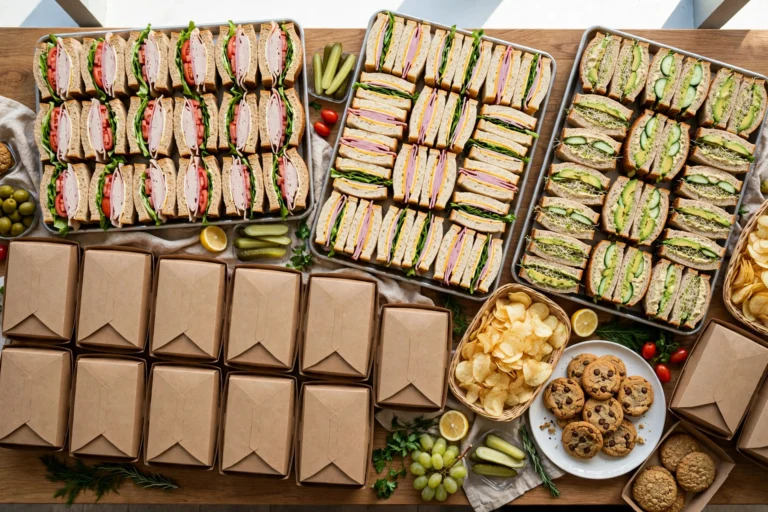
Catering. The catering menu is available to order online from your local store. It covers party platters, boxed lunches, and Mini Jimmys for office lunches, corporate meetings, training sessions, birthday parties, graduation parties, school events, sports teams, and family gatherings. The chain says it specializes in last-minute catering, but 24 hours of advance notice is always appreciated — and for same-day catering, the official advice is to call your local store rather than relying on the online form alone.
Catering prices. Catering is priced per person and per platter, and — like everything at Jimmy John’s — it varies by location. Third-party catering guides report a general range of roughly $8 to $15 per person, with party platters (15 to 30 pieces) reported at roughly $55 to $95 and Mini Jimmys by the dozen reported at roughly $35 to $50. Those figures come from a third-party guide, not from Jimmy John’s itself, so treat them as planning ranges only. Most locations are reported to require a catering minimum of roughly $50 to $100 for delivery; below that, the store may treat the order as a standard delivery instead of a catering order, which can limit platter and presentation options. Delivery fees for catering are calculated by distance, and orders more than about 5 miles from the store may carry a higher fee or a larger minimum — verify these details by phone before you place a catering order online, since the online quote does not always account for driver availability or local surcharges.
How much to order. For platters, catering guides suggest planning on about 1.5 sandwiches per person, since people eat more than one piece when the food is cut into halves or quarters. For groups of 10 or more, party platters are usually more efficient than individual boxed lunches. Boxed lunches are the better choice when each person needs their own complete meal with a side and a drink.
Group orders for a regular lunch. For a group that is not a formal catering order — say, five coworkers ordering lunch — the simplest approach is one person placing a single online order with everyone’s sandwiches in it, using My Faves to save the regulars’ builds. We could not verify a dedicated split-payment or “group order” feature in the Jimmy John’s app where each person pays separately, so do not count on one existing. One person pays, everyone else settles up separately. Third-party apps are not recommended for catering-sized orders: they commonly mark up prices by 10% to 20% and do not communicate directly with the store’s catering manager, which increases the risk of errors or delays.
Tipping. A tip of 15% to 20% is the industry expectation for catering orders over $100, even when a delivery or service fee is already on the bill, because the catering team does the assembly, packaging, and transport.
Watch Out for Fake Jimmy John’s Ordering Sites
This is a real and current problem, and it belongs in any guide to ordering Jimmy John’s online. In November 2026, security researchers at InfoHawk reported a network of more than 820 fake restaurant ordering sites across 35 chains — and Jimmy John’s alone accounted for 404 of the fake domains. The scam sites copied the real menu, took the customer’s card details, and in some cases asked for the bank’s text verification code. The scammers promoted the fake sites through Google search ads, so the fake listing could appear above the real one.
The protection is simple: only order through jimmyjohns.com or the official Jimmy John’s app from the App Store or Google Play. Do not click a Google ad to order food — type the address yourself or use the app you already have installed. Check the domain carefully before entering payment details, and be suspicious of any site ending in “.delivery” or any domain that is not jimmyjohns.com. If a site asks for a bank verification code, close it immediately — a real food order never needs one. By early November 2026 the researchers reported that the ads they found were no longer running, but the domains were still live, so the risk has not gone away.
Jimmy John Online Menu: Common Problems and Fixes
The app will not accept my order. App reviews report this as a recurring issue, especially with certain combinations — for example, ordering a gyro as a combo. If the app refuses a combination, try ordering the items separately, try the website instead of the app, or call the store. If the app is persistently broken, the website usually works.
My reward did not apply at checkout. This is one of the most reported complaints about the app. Screenshot the reward and the checkout screen, complete the order if you need the food, and contact the store or the app’s support email (appfeedback@jimmyjohns.com) afterwards. Do not assume the reward will apply on its own next time — check before you pay.
My address is outside the delivery zone. The delivery zone is set by the store, not by you, and it is usually small. Your options are pickup from that store, or checking whether a different nearby store delivers to you. The app lets you switch stores easily.
The price in the app is higher than the price I saw online. Prices vary by location and by delivery versus pickup, and third-party listings often show different prices from the official app. The price in the official app for your store is the price that counts. Fan-run menu sites and aggregator listings are useful for planning, but they are not the store’s price.
The order tracker is stuck. Refresh first, then call the store. The tracker is a convenience, not the order itself — the store can see your order even when the tracker cannot.
I cannot find a menu item online. Some items are seasonal or limited-time, and some stores do not carry every item. If an item appears on a fan menu site but not in your store’s online menu, it is probably not available at that location. Check another nearby store, or call and ask.
Is Ordering Jimmy John’s Online Worth It?
Yes, for most people, most of the time — with one condition. Ordering through the official website or app is the cheapest way to get Jimmy John’s delivered, the fastest way to pick it up, and the only way to earn rewards. The customization is more accurate than ordering at the counter, the nutrition information is right there before you order, and My Faves turns a repeat order into a two-tap job.
The condition is that you use the official channels. Third-party apps cost more, do not earn rewards, and are worse for catering. And the fake ordering sites uncovered in November 2026 make it genuinely important to type jimmyjohns.com yourself or use the app, rather than clicking the first search result or ad.
The one thing the online menu cannot fix is the price spread. A Turkey Tom can cost $7.76 at one store and $9.63 at another, and the online menu will show you both prices honestly — it just will not make them equal. Check the price at your store, order pickup when you can, and use the rewards program for the free sandwich after your first order. That is the whole strategy, and it is all the online menu is for.
Frequently Asked Questions About the Jimmy John Online Menu
How do I order Jimmy John’s online?
Go to jimmyjohns.com or open the Jimmy John’s app, enter your address or ZIP code to pick your store, choose delivery or pickup, build your order, pay by card, and track it through the confirmation link or the app. The app also lets you save favorite orders as My Faves for quick reordering.
Is the Jimmy John online menu the same as the in-store menu?
The food is the same, but the online menu shows your store’s prices, live availability, nutrition information, and rewards offers. Prices can differ between delivery and pickup, and some limited-time items and app-only offers appear online but not on the in-store board.
How much does Jimmy John’s delivery cost?
Delivery fees and minimums vary by location because each store is franchised. The official location pages say “fees and minimums may apply” without giving a number. The only way to see your exact fee is to start an order in the app or on the website with your address entered.
Does Jimmy John’s deliver to my address?
It depends on the store’s delivery zone, which is usually small. Enter your address in the app or on the website and it will tell you whether delivery is available. If your address is outside the zone, pickup from that store is your option, or you can check a different nearby store.
What is Freaky Fast Rewards?
Freaky Fast Rewards, also called JJ Rewards, is Jimmy John’s free loyalty program. You earn 10 points for every $1 you spend on qualifying orders, and new members earn a free sandwich after their first order. Points convert into rewards you choose at checkout, at participating locations.
How do I track my Jimmy John’s order?
Use the tracking link in your confirmation email or text message, or the Track Order option in the app. The tracker shows order received, preparation in progress, out for delivery, and delivered. If the tracker stalls, refresh it, then call the store — the store can see your order even when the tracker cannot.
Can I order Jimmy John’s catering online?
Yes. The catering menu — party platters, boxed lunches, and Mini Jimmys — can be ordered online from your local store. Jimmy John’s says it specializes in last-minute catering but appreciates 24 hours of notice, and for same-day catering you should call the store. Catering prices vary by location; third-party guides report roughly $8 to $15 per person.
Is Jimmy John’s cheaper on the app or on DoorDash?
The official app or website is usually cheaper. Third-party delivery listings commonly run 10% to 20% higher than ordering direct, and you do not earn Jimmy John’s rewards on a third-party order. DoorDash and similar platforms are convenient for a one-off order, but regular orders should go through the official app.
Are there fake Jimmy John’s ordering websites?
Yes. In November 2026, researchers reported more than 820 fake restaurant ordering sites, with 404 of them impersonating Jimmy John’s. The fake sites copied the real menu and stole card details, promoted through Google search ads. Only order through jimmyjohns.com or the official app, and never enter a bank verification code on a food ordering site.
Can I order a group lunch online from Jimmy John’s?
Yes, by placing one order with everyone’s sandwiches in it. For larger groups, use the catering menu for party platters or boxed lunches. We could not verify a dedicated split-payment group ordering feature in the app, so one person pays and the group settles up separately.