
Fast track Jimmy Johns ordering is the quickest way to get a Jimmy John’s sandwich in your hands: order ahead in the app or on the website, pay before you arrive, and pick up your food without standing in line. If you have ever wondered what the term means, how it works, and whether it is a real Jimmy John’s feature or just internet shorthand, this guide answers all of it — including one honest clarification up front. Jimmy John’s own website does not use “Fast Track” as a branded feature name. The official term on jimmyjohns.com location pages is “Order Ahead”: place an order via the app or the website for delivery or pickup. Third-party guides call the same order-ahead pickup flow “Fast Track,” and that is the name many customers search for — so this post covers the real process under the name people actually use.
Whatever you call it, the idea is the same. Jimmy John’s built its whole brand on speed — sandwiches assembled in about 30 seconds, delivery only within a small radius of each store — and ordering ahead is the customer-facing version of that system. You do the waiting on your phone instead of at the counter, the shop starts making your sandwich the moment your order lands, and you walk in, grab the bag, and go. Here is exactly how it works, what you need, and how to avoid the mistakes that slow the process down.
What Is Fast Track at Jimmy John’s?
Fast Track at Jimmy John’s is order-ahead pickup: you place and pay for your order through the Jimmy John’s app or website before you get to the store, and your food is ready when you arrive. Third-party guides describe it as a service that lets customers skip the queue and pick up their food promptly, with a designated pickup lane or counter at the store. Jimmy John’s own location pages describe the same thing in plainer language under their “Order Ahead” FAQ: place an order via the app or the website to order for delivery or pick up from your local Jimmy John’s.
It is worth being clear about what Fast Track is not. It is not a paid membership, not a separate app, and not a drive-thru lane. There is no extra fee for ordering ahead — you pay for your food, and any delivery fees or minimums that apply to delivery orders. It is simply the normal Jimmy John’s online ordering flow used for pickup, with the timing advantage that the kitchen starts on your sandwich as soon as the order comes in.
The feature exists because Jimmy John’s lunch rush is famously fast and famously crowded. A regular customer who orders at the counter still gets served quickly, but ordering ahead removes the queue entirely. For a lunch break, a school pickup run, or an office order, that is the difference between a five-minute stop and a twenty-minute one.
How Fast Track Jimmy John’s Works: Step by Step
The process is the same on the app and the website, with small differences in layout. Here is the full flow.
Step 1: Open the app or website and choose your store
Open the Jimmy John’s app or go to jimmyjohns.com. The app will ask for your location or ZIP code to find the nearest store; you can also type in your ZIP code manually if you prefer not to share your location. Pick the store you want to collect from. If you have a favorite location, save it — the app remembers recent delivery addresses and pickup locations so you do not have to search every time.
Step 2: Pick pickup, not delivery
Choose pickup as your order type. Jimmy John’s also offers delivery and curbside pickup at many locations, so make sure you select the option you actually want. In-store pickup is the classic Fast Track flow: you walk in and collect your bag. Curbside pickup means staff bring the order out to your car — check whether your store offers it before you drive over expecting it.
Step 3: Build your order
Browse the menu and add sandwiches, sides, and drinks. Every item shows its price, and the customize option lets you add or remove ingredients — extra meat, extra cheese, no tomato, and so on. You can build a Turkey Tom, a Vito, a Italian Night Club, or any of the other regulars. If you are unsure what to order, our Jimmy John’s menu page covers the full lineup, and our online menu guide walks through the ordering screens.
Step 4: Pay in the app or on the website
Pay when you place the order. The app accepts Google Pay as well as cards, and your payment details can be saved for next time. Paying ahead is what makes the pickup fast — there is nothing to settle at the counter when you arrive.
Step 5: Get your confirmation and pickup time
Once the order is placed, you get a confirmation with your order details and an estimated pickup time. The kitchen starts preparing the order as soon as it is received, which is why ordering ahead beats ordering at the counter: the sandwich is being made while you are still on your way.
Step 6: Arrive and pick up
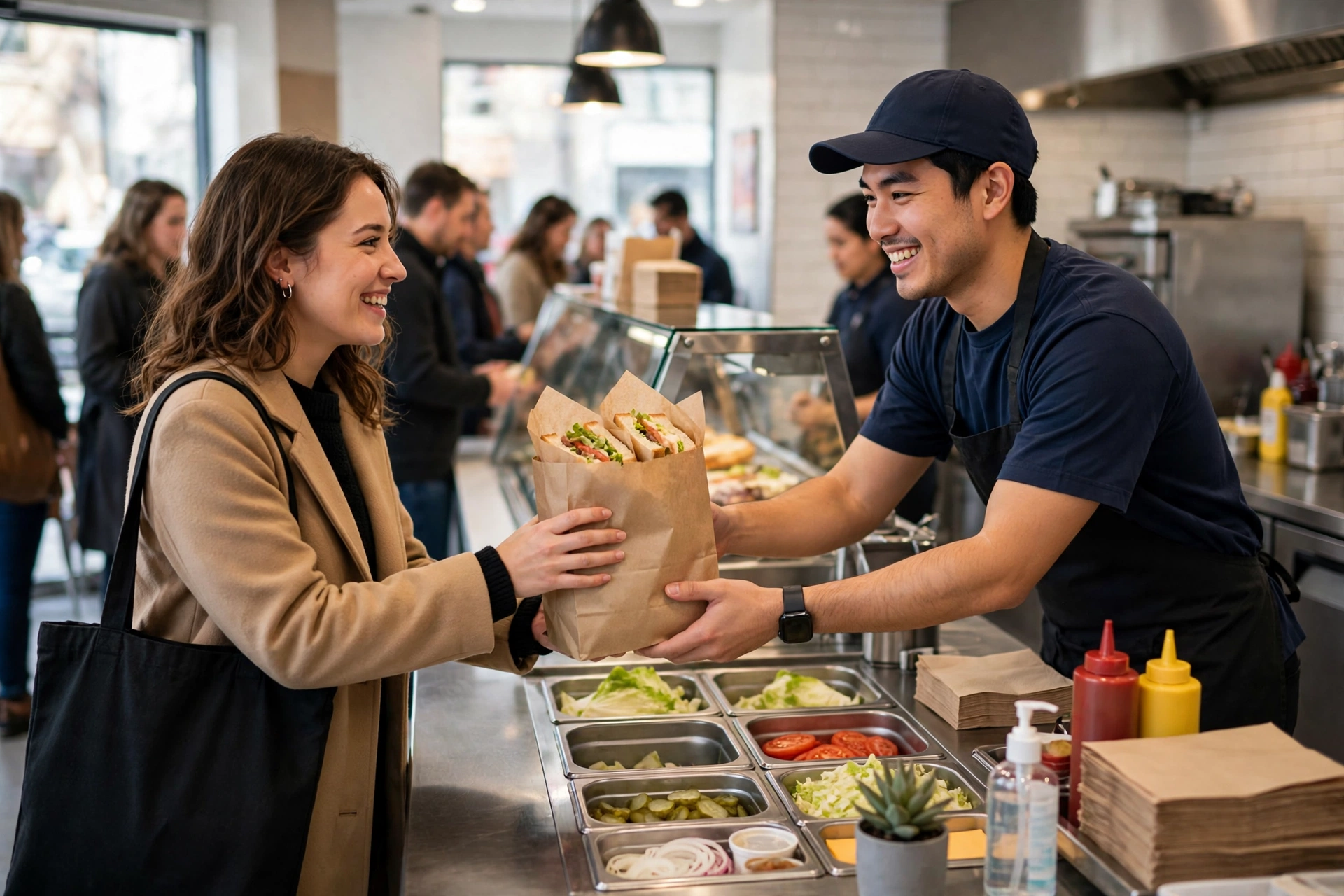
Head to the store at the pickup time, walk to the pickup counter or lane, give your name, and collect your order. That is the whole process. The sandwich was made fresh, the bag is waiting, and you are out the door.
Fast Track in the App vs. on the Website
The core flow is identical, but the app has a few advantages that the website does not. The most useful is the saved-order feature. In the app, you can tick a “save as my freaky fast order” box at checkout, which saves your order, location, and payment details. Next time, you hit the “freaky fast order” button and the whole order is ready to place in one tap. The app also lets you save favorite orders to “My Faves” for quick reordering, track your order’s status, and receive notifications when it is out for delivery or ready for pickup.
The website offers the same ordering and pickup flow in a browser, which suits anyone who does not want another app on their phone. You can order as a guest or sign in to your JJ Rewards account. Signing in is worth it: orders placed through your account earn JJ Rewards points — 10 points per $1 spent — and only orders through the app, website, or in store count toward rewards. Third-party delivery orders do not earn points.
One honest note about the app: user reviews on Google Play are mixed. Some reviewers praise the speed and convenience, while others report glitches — order tracking that stops updating, combo items that fail at checkout, and the app forgetting past orders. If the app misbehaves, the website is a reliable fallback for the same order, and calling the store directly is still an option listed in third-party guides.
Why Jimmy John’s Can Be This Fast
Fast Track works because the whole Jimmy John’s operation is built for speed. The chain aims to assemble a sandwich in about 30 seconds, using a practiced two-person assembly line and bread that is baked in store throughout the day. Orders are taken and preparation starts immediately — there is no ticket rail where orders sit waiting.
Delivery is part of the same system. Jimmy John’s delivers only within about a five-minute driving radius of each store, which keeps delivery times short and sandwiches fresh. In denser areas, staff also deliver by bicycle on routes that can beat cars. The pickup side of the business gets the same treatment: separate assembly lines for dine-in and delivery orders at many locations, so a pickup order is not stuck behind a queue of delivery tickets.
That speed is also why ordering ahead matters so much at lunch. At peak times the counter queue is the bottleneck, not the sandwich making. Fast Track removes the queue from your visit entirely.
Pickup Options: In-Store, Curbside, and Contactless
Jimmy John’s offers more than one way to collect an order, and the right choice depends on your day. In-store pickup is the standard option: walk in, give your name at the pickup counter, and take the bag. Curbside pickup is available at many locations — order in the app, park in the designated spot, and staff bring the food to your car. Contactless delivery is also offered for delivery orders within the delivery area.
Availability varies by location, so check what your store offers before you set out. The location pages on jimmyjohns.com list pickup, curbside, and delivery options per store, and the app shows the available choices for your selected location at checkout. If curbside is not listed for your store, do not assume it exists — head inside instead.
For a detailed look at what happens after you place the order, see our Jimmy John’s order tracker guide, which explains the status updates and notifications you should expect.
Fast Track vs. Delivery: Which Should You Choose?
Pickup through Fast Track and delivery solve different problems. Pickup is faster and cheaper: no delivery fee, no delivery minimum, and no waiting for a driver. If the store is on your route, ordering ahead for pickup is almost always the better choice — your sandwich is ready when you arrive, and you are back in the car within a minute or two.
Delivery makes sense when you cannot leave the office or the house. The tradeoff is the delivery radius: Jimmy John’s only delivers within a small area around each store, so if you are outside it, delivery is simply not offered and pickup is your only option. Delivery orders also carry fees and minimums that vary by location — the app shows a minimum delivery order for your store, and some users report a $3.50 minimum in app reviews.
A practical rule: if you are within a few minutes of the store, use Fast Track pickup. If you are staying put and inside the delivery zone, order delivery. Either way, order through the app or website on your own account so the purchase earns JJ Rewards points.
Using Fast Track With JJ Rewards
Fast Track and JJ Rewards work together nicely. Orders placed through your account earn 10 points per $1 spent, and points can be redeemed for free food — sauces and spreads at 150 points, and sandwiches from around 1,200 points upward, depending on the item and the source you check. Points expire 12 months after they are earned, so regular Fast Track orders keep your balance growing.
Rewards members also get the perks that come with the program: a free 8-inch sandwich after the first qualifying order for new members, a free birthday sandwich every year, and member-only offers. Our Jimmy John’s birthday rewards guide covers the birthday treat in detail, and our Freaky Fast Rewards page covers the program’s history — JJ Rewards replaced Freaky Fast Rewards in September 2025.
One rule to remember: only one reward applies per order. So if you are redeeming a free sandwich with points, or using your birthday reward, place that as its own order rather than trying to combine it with another discount.
Fast Track for Groups, Offices, and Parties
Fast Track pickup works for single orders, but it also scales. If you are ordering lunch for the office, the same order-ahead flow lets you place one big order and pick it up in a single trip instead of queuing with a list. For larger groups, Jimmy John’s has dedicated group ordering and catering options that are built for exactly that job — our group order guide covers ordering for a crowd, and our catering guide covers party boxes and box lunches.
The party box and box lunch options are the right call for meetings and events, since they bundle sandwiches with sides in a format designed for sharing. Fast Track pickup is still the way you collect them: order ahead, pay, and grab the boxes at the counter. For an office lunch, place the order at least 30 minutes before pickup so the kitchen has time to build a large quantity — the 30-second sandwich is fast, but twenty sandwiches still take a few minutes.
If you are ordering with a discount, check our Jimmy John’s BOGO guide for the current buy-one-get-one offers for rewards members, and note that BOGO deals are usually app or online orders only.
Fast Track Troubleshooting: When It Does Not Work
Order-ahead pickup usually works smoothly, but a few problems come up often enough to be worth covering.
The app will not let you check out
App reviewers report occasional checkout failures, particularly when building combo orders. If checkout fails in the app, try the website in your phone’s browser for the same order — it runs the same system. If that also fails, call the store and place the order by phone.
Your order is not ready when you arrive
This usually means the store is slammed, or the order went in later than you think. Give it a few extra minutes and check the app for a status update. If the tracker shows the order is still being prepared, wait at the counter rather than re-ordering — a duplicate order is the one outcome that wastes everyone’s time.
The order is wrong
Check the bag before you leave the store. If an item is missing or made wrong, tell the counter staff right away — fixes are quick when you are still in the shop, and much slower once you have driven off. Keep the confirmation on your phone so the staff can see exactly what was ordered.
Pickup is not offered at your store
Not every location offers every pickup option. Some stores offer in-store pickup but not curbside, and features vary by franchise. The app shows only the options your chosen store supports, so if pickup is missing, switch to a nearby store or choose delivery.
You cannot find the pickup counter
At busy stores the pickup area is usually a marked counter near the register or a separate lane. If you cannot see it, ask the first staff member you meet — they handle pickup orders all day and will point you to the right spot. Giving your name is normally all the identification you need.
Tips to Get the Most Out of Fast Track Jimmy John’s
A few habits make order-ahead pickup genuinely fast instead of merely faster. Save your usual order as a Freaky Fast Order in the app so reordering takes one tap. Save your usual store so you never have to search for it. Order before you leave rather than when you arrive — the whole point is that the kitchen works while you travel. Double-check the pickup store on every order, because the app can default to the nearest location, which may not be the one you are driving to.
If you order the same thing most days, learn the customization options: the app lets you save your exact build, so a Chicken Bacon Ranch with extra bacon or a pickle sandwich with no mayo comes out the same every time. Add a side from our chips guide to the saved order so you never forget it. And if you are watching what you eat, our Is Jimmy John’s Healthy? guide and the allergen menu are worth a read — the bread guide covers the lettuce-wrap Unwich option for low-carb orders, and our gluten-free guide covers the wheat-free choices.
Finally, remember that Fast Track is a pickup flow, not a reservation. You cannot book a pickup slot hours ahead the way you might with catering — the order goes to the kitchen as soon as you place it. If you want lunch ready at noon, place the order at about 11:45, not at 9 in the morning. For anything that needs a fixed time, use catering instead.
Fast track Jimmy Johns ordering is simple once you know what it actually is: Jimmy John’s official Order Ahead flow — order in the app or on the website, pay up front, and collect your sandwich at the pickup counter without queuing. The name “Fast Track” comes from third-party guides rather than from Jimmy John’s itself, but the process it describes is real, free, and available at participating locations. Set up your saved order once, pick the right store every time, and your lunch stop becomes a grab-and-go.
Frequently Asked Questions About Fast Track Jimmy John’s
What is Fast Track at Jimmy John’s?
Fast Track is order-ahead pickup at Jimmy John’s: you order and pay through the app or website before you arrive, and your food is ready for pickup when you get to the store. Jimmy John’s own website calls this feature “Order Ahead” — “Fast Track” is the name used by third-party guides for the same order-ahead pickup flow.
How do I use Fast Track Jimmy John’s?
Open the Jimmy John’s app or website, choose your store, select pickup, build your order, and pay. You will get a confirmation with an estimated pickup time. Arrive at that time, give your name at the pickup counter, and collect your order.
Is Fast Track Jimmy John’s free?
Yes, ordering ahead for pickup costs nothing extra — you only pay for your food. Delivery fees and minimums apply to delivery orders, not to pickup. There is no membership or subscription required to order ahead.
Can I use Fast Track on the Jimmy John’s website, or only in the app?
Both work. You can order ahead on jimmyjohns.com in a browser or in the Jimmy John’s app. The app adds extras like saving a “Freaky Fast Order” for one-tap reordering, saving favorites to My Faves, and order tracking with notifications.
Do I need a JJ Rewards account to order ahead?
No, you can order ahead as a guest. But signing in to JJ Rewards earns you 10 points per $1 spent on the order, and only orders placed through the app, website, or in store count toward rewards. Signing in also unlocks member offers like the birthday sandwich.
How fast is Fast Track pickup?
Jimmy John’s aims to assemble a sandwich in about 30 seconds, and the kitchen starts on your order as soon as it is placed. In practice, your food is usually ready within a few minutes of ordering, or by the pickup time shown in your confirmation. Ordering before you leave home means the sandwich is waiting when you arrive.
What is the difference between Fast Track and delivery?
Fast Track is pickup: you collect the order yourself and pay no delivery fee. Delivery brings the food to you, but only within a small radius around each store, and delivery fees and minimums apply. If the store is on your route, pickup is usually faster and cheaper.
Can I schedule a Fast Track order for later?
Fast Track is not a reservation system — your order goes to the kitchen as soon as you place it. Place your order shortly before you want to pick it up rather than hours ahead. For a fixed-time order, such as an office lunch, use Jimmy John’s catering instead.
Does every Jimmy John’s location offer Fast Track pickup?
Pickup options vary by location, and most Jimmy John’s restaurants are franchised. In-store pickup is widely available, while curbside pickup is offered at many but not all stores. The app shows the options your chosen store supports at checkout.
What should I do if my Fast Track order is wrong or not ready?
Check the bag before you leave the store and tell the counter staff right away if anything is missing or wrong — fixes are quick while you are still there. If your order is not ready on arrival, check the app for a status update and wait a few minutes before re-ordering, to avoid creating a duplicate order.