
Order Jimmy Johns online and your sandwich can be on its way in minutes — that is the whole point of the chain’s “Freaky Fast” promise. You have two official ways to do it: the Jimmy John’s website at jimmyjohns.com, and the Jimmy John’s app on iPhone or Android. Both let you order for delivery or pickup, customize every sandwich, save your favorites, and track the order until it arrives. This guide walks through each method step by step, compares delivery and pickup honestly, explains the fees and minimums you will actually see at checkout, and covers the problems real customers run into — because the fastest way to order is the one that works the first time.
One thing to get clear up front: this guide is about the ordering process itself. If you want to browse what is on the menu before you order, our Jimmy John’s online menu guide covers the full menu, and this article will not repeat it. What follows is everything about placing the order: where to click, what it costs, how long it takes, and what to do when something goes wrong.
The Fastest Ways to Order Jimmy Johns Online
There are four realistic ways to get a Jimmy John’s order placed without walking into a store. Two are official, and two run through third-party delivery apps. They are not equal, and the differences matter more than most people expect.
The official website, jimmyjohns.com, is the most complete option. It works in any browser, on a phone or a computer, with no download required. You pick your store, build your order, pay, and choose delivery or pickup. The app does the same thing with a few extras: saved favorites, faster reordering, push notifications when your order is ready or out for delivery, and access to Freaky Fast Rewards offers. If you order more than once a month, the app is the better tool. If this is a one-off order, the website is faster because there is nothing to install.
Third-party apps — DoorDash, Uber Eats, and Grubhub — also list Jimmy John’s in most areas. They are useful if you already have one of those apps and want to combine a Jimmy John’s order with something else, or if you are outside Jimmy John’s own delivery zone. But there is a real trade-off: you will not earn Freaky Fast Rewards points on third-party orders, and the prices and fees on those apps are usually higher than ordering direct. One comparison from April 2026 found ordering direct cost $3.99 in delivery fees, while the same order through the third-party apps stacked up service fees on top of delivery fees — DoorDash, for example, came to $3.99 delivery plus a $3 service fee. Those figures are reported by third-party sites and vary by location, so treat them as a guide, not a quote, but the direction is consistent: direct is usually cheaper and always earns rewards.
Finally, there is the old-fashioned option: calling the store. It is not online ordering, but it is worth knowing about, because it is the fallback when the website or app is having a bad day. Every Jimmy John’s location page lists a phone number, and the store can take a delivery or pickup order over the phone. If the app will not accept your payment or a promo code will not apply, a phone call to the store often fixes in two minutes what the app cannot fix at all.
How to Order Jimmy Johns Online on the Website
Ordering on jimmyjohns.com takes about five minutes the first time and about two minutes once your address and favorites are saved. Here is the process, step by step.
Step one: go to jimmyjohns.com and choose delivery or pickup. The site will ask for your address for delivery or your ZIP code to find the nearest store for pickup. This matters because the menu, prices, and delivery fee are set per store. Jimmy John’s stores are franchised, so the price of the same sandwich can differ between two stores in the same city. The site only shows you prices after you pick a store, which is why you cannot price-check a sandwich without entering a location first.
Step two: sign in or continue as a guest. You can order as a guest, and that works fine for a single order. But if you sign in with a Freaky Fast Rewards account, the order earns progress toward free sandwiches, and any rewards or promo codes on your account become available at checkout. If you plan to order again, signing in is worth the thirty seconds. If you are new to the program, our Freaky Fast Rewards guide explains how it works and what the first-order free sandwich is worth.
Step three: build your order. Browse the menu categories — Originals, Favorites, Toasted, Plain Slims, Little Johns, wraps, and sides — and tap a sandwich to customize it. This is where online ordering beats ordering at the counter: every customization is a checkbox. Add or remove toppings, switch the bread, add bacon or avocado, choose a size. The site shows the extra cost of each add-on before you confirm, so there are no surprises at checkout. One detail regulars know: wheat bread carries an extra charge at many locations, reported at around 50 cents, though the exact amount varies by store and is shown in the app before you confirm.
Step four: add sides and drinks. Chips, cookies, pickles, and drinks are all available in the same order flow. Our guide to Jimmy John’s chips covers which varieties are worth adding. If you are ordering for more than one person, this is also the point to check the catering options — a party box or box lunch is usually cheaper per person than individual sandwiches, and our party box guide and box lunch guide break down the math.
Step five: review the order and the fees. Before you pay, the site shows the subtotal, the delivery fee if you chose delivery, tax, and any tip you add. Delivery fees vary by location and are reported in the range of a couple of dollars up to around $3.99, but the exact fee for your order is shown at checkout before you confirm — always check it there, because it is set by your local store. There is also a minimum delivery order at many stores; one app review noted a $3.50 minimum, but that figure is from an older review and minimums vary, so your checkout screen is the authority.
Step six: pay and confirm. The website accepts major credit and debit cards. If you have a promo code, enter it before you pay — codes cannot be applied after the order is placed. Double-check the delivery address and any delivery instructions, especially for apartments and offices, then place the order. You will get an order confirmation on screen and, if you are signed in, by email or push notification.
How to Order Jimmy Johns Online in the App
The Jimmy John’s app is available on the App Store and Google Play, and it is the same ordering system as the website with a few conveniences layered on top. According to the official app listing, you can order for contactless delivery or pay ahead and pick up, save favorite orders to “My Faves” for quick reordering, use a recent delivery address or pickup location, and track your order with notifications when it is out for delivery or ready for pickup. The app accepts Google Pay, and it also supports ordering catering.
Step one: download the app and sign in. Create a Freaky Fast Rewards account or sign in with the one you already have. The app will ask for location access so it can find the nearest store; you can also enter a ZIP code manually if you would rather not share your location.
Step two: choose delivery or pickup. The app makes it easy to switch between the two while you are selecting a location, which is handy if you are deciding on the fly. The store information shows the minimum delivery order for that location, which is a genuinely useful detail the website buries a little deeper.
Step three: build your order the same way as on the website. The app’s menu is the same, and so are the customization options. One difference is the “Freaky Fast Order” feature: at checkout you can tick a box to save your order, location, and payment details as your freaky fast order. The next time you open the app, one tap reorders the whole thing. For people who order the same sandwich every week, this is the single best feature in the app.
Step four: check your rewards and promo codes before you pay. The app shows your available rewards on the checkout screen. If you have a promo code from an email or a promotion, enter it here. A common complaint in app reviews is that a reward notification arrives with no clear terms, and the reward then fails to apply at checkout. If that happens to you, do not complete the order and hope it fixes itself — check the reward’s terms in the rewards section first, or call the store.
Step five: pay, then watch the tracker. After you place the order, the app shows its status and sends a notification when it is ready for pickup or out for delivery. More on tracking — and its limits — below.
Delivery vs Pickup: Which Should You Choose?
Delivery is the default for most online orders, and it is what Jimmy John’s is famous for. The chain built its brand on “Freaky Fast” delivery, and in the old model the promise was delivery within about five minutes of ordering, inside a tight delivery zone of roughly two miles around each store. That was the original policy, and it is still part of the brand’s story. In practice today, the experience is more mixed.
The honest picture, based on customer reports in 2026, is that delivery speed varies a lot by location and by time of day. Many stores now route deliveries through Uber, and customers on Reddit and review sites report waits of 45 minutes to over an hour at busy times, with food arriving cold or soggy. One Reddit user quoted in a Tasting Table roundup waited nearly an hour for an order to even be picked up, and noted that the old in-house delivery would have had it at the door in 20 minutes. That is not every order — plenty of customers still get fast delivery — but it is common enough that you should not plan a tight lunch break around a delivery estimate.
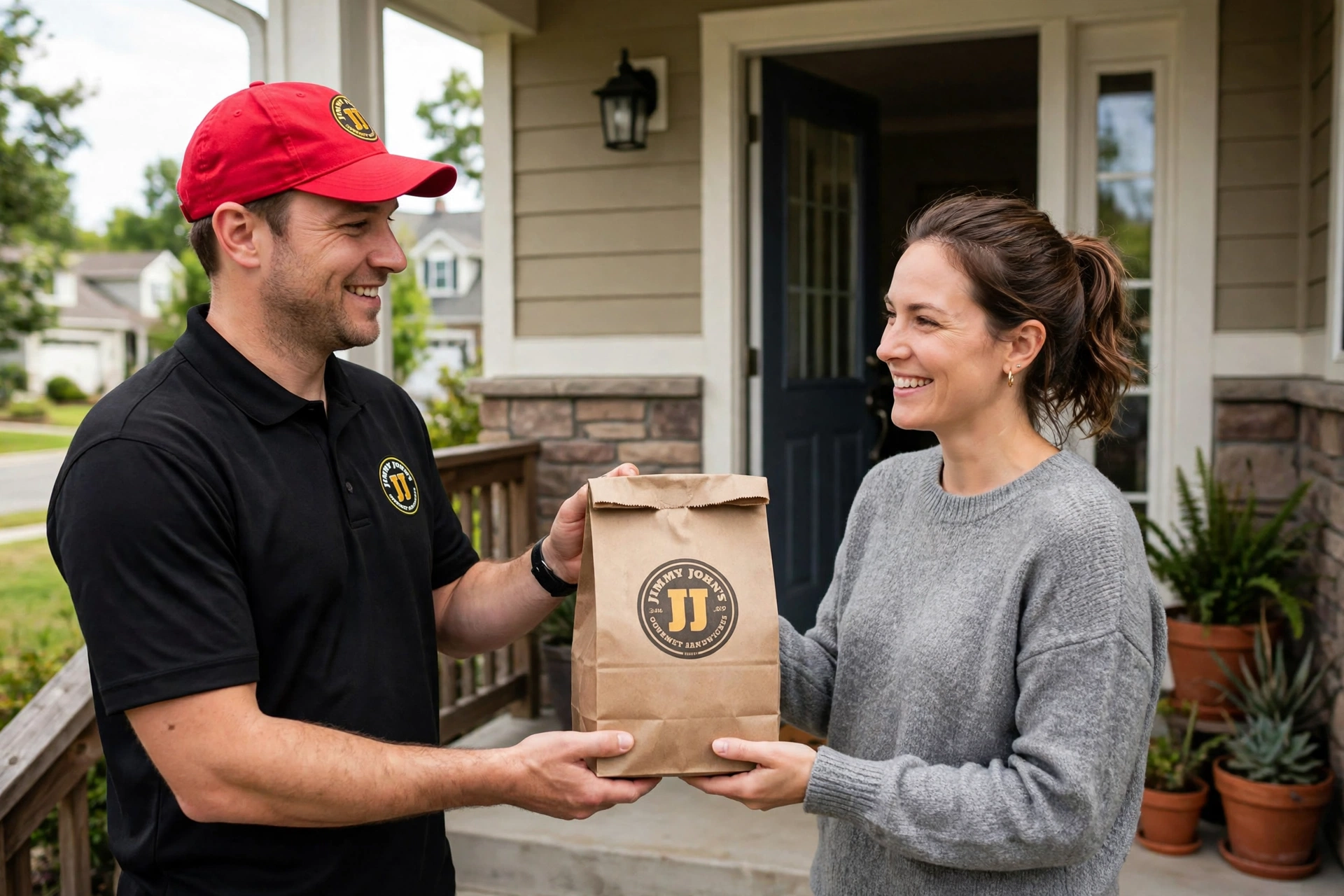
Pickup is the more reliable option if you are near a store. Order ahead in the app or on the website, pay in advance, and the sandwich is waiting on the shelf when you arrive. There is no delivery fee, no tip decision, and no driver in the middle. Customers who order pickup regularly report that the order is ready in 15 to 20 minutes, and many say it is sitting on the counter when they walk in. Some locations have a drive-thru, and a few have drive-thru-only formats. If your store has one, you can order in the app and pull through the drive-thru to collect it, though some customers report confusion at the drive-thru window when an app order is involved — if the window staff seem unsure, going inside is usually faster.
Curbside pickup is listed as an option at some locations, but customer reports suggest it is inconsistently staffed, and the drive-thru or in-store pickup is the safer bet. If curbside matters to you, call the store to confirm they are running it before you select it.
The short version: choose delivery when you cannot leave where you are and you have time to spare. Choose pickup when you want the lowest cost, the fastest turnaround, and the least chance of something going wrong.
Delivery Fees, Minimums, and Delivery Zones
Jimmy John’s does not publish a single national delivery fee, because each store sets its own. That is the single most important thing to understand about the cost of ordering online: the fee you see at checkout is your store’s fee, and it may be different from the fee at the store across town.
What is reported: the direct delivery fee is commonly in the range of a couple of dollars up to around $3.99, according to deal-site reporting from 2026. Third-party apps add their own fees on top of the menu prices, which are often marked up on those apps as well. One fan-site price tracker noted that a drink priced at $3.29 in-store was listed at $3.99 on Grubhub, before a delivery fee starting at $2.00 and a service charge of 5 to 15 percent. That is a single reported example, not a chain-wide figure, but it shows the pattern clearly: the same order costs more through a third-party app than it does direct, and the gap comes from markups plus fees, not from one charge alone.
Minimum order amounts also vary. The app shows the minimum delivery order for your store before you check out — one review noted a $3.50 minimum at their store, but that is an old figure and should not be treated as current or universal. In practice, a single sandwich usually clears the minimum at most stores. Catering delivery is a different story: catering orders typically carry a food-and-beverage minimum, often reported in the $50 to $100 range, plus a delivery fee often reported at $10 or more. If you are ordering catering, always get the quote before you commit, and our catering guide covers the details.
Delivery zones are tight by design. The original Jimmy John’s model limited delivery to a small radius around each store — about two miles — so drivers could get sandwiches to customers in minutes. That zone still exists in spirit, though the exact boundary is set by each store and is not published. If your address is outside the zone, the website or app will tell you delivery is unavailable and offer pickup instead. Two workarounds exist if you are just outside the zone: order pickup, or order through DoorDash, Uber Eats, or Grubhub, which use their own driver networks and often cover a wider area. The trade-off, as always, is higher fees and no rewards points.
One more cost to budget for: the tip. The checkout screen suggests a tip for the driver on delivery orders. It is optional, and the amount is your choice. A practical note from customer reports is that orders with a tip attached tend to be picked up faster by third-party drivers, because drivers can see the payout before accepting. Whether that applies to Jimmy John’s own drivers varies, but tipping is the norm for delivery in the US, and most customers add something.
Ordering With Freaky Fast Rewards
If you order Jimmy John’s online more than a couple of times a year, the Freaky Fast Rewards program is the part of the process that pays you back. It is free to join, and it is the only way to earn rewards on an online order — third-party app orders do not earn points, which is the main reason regulars order direct.
Here is how rewards interact with online ordering. Every order you place while signed in to your rewards account earns progress toward free sandwiches and other rewards. The exact earn rate is set by the program and is shown in the app; it has changed over time, so check the current terms in the app rather than relying on a blog post. New members typically earn a free 8-inch sandwich after their first qualifying order, and members get a free sandwich during their birthday month — our birthday rewards guide explains the birthday offer in detail.
Promo codes are the other half of rewards ordering. Jimmy John’s runs short, sharp promotions through the app, and the codes are usually tied to a specific event. The biggest recent example was National Sandwich Day on November 3, 2026, when rewards members could use the code SANDWICH for a buy-one-get-one-free sandwich deal. Our BOGO guide covers that offer and how often these deals come around. The pattern to know: codes are announced in the app and by email, they expire hard, and they usually cannot be combined with other offers. Enter the code before you pay, and check that the discount appears in the total before you confirm — a code that did not apply is the most common rewards complaint in app reviews.
A word of caution from real app reviews: the rewards system is the most complained-about part of the app. Customers report points disappearing, rewards not applying at checkout, and notifications about a reward that carries no terms or explanation. If a reward does not apply, do not finish the order and assume it will be fixed later. Back out, check the reward’s terms in the app, and if it still will not apply, call the store — the staff can often tell you whether the reward is valid at their location.
How to Track Your Jimmy John’s Order
Both the website and the app offer order tracking, and it works well enough for pickup orders: you get a notification when the order is ready, and the app shows its status. For delivery, the tracker shows the stages of the order — received, being made, out for delivery, delivered — but the quality of the live tracking depends on who is actually delivering it.
When Jimmy John’s own driver is delivering, the tracking is generally accurate, and the driver is usually on a bicycle or in a car within a small zone. When the delivery has been handed to Uber or another third-party driver, customers report that the tracker is less reliable — sometimes it never updates past “out for delivery,” and sometimes it shows the order as delivered before it arrives. Our order tracker guide goes into the details, including what to do when the tracker goes quiet.
The practical advice is simple. For pickup, trust the “ready” notification and head to the store. For delivery, use the tracker as a rough guide, not a promise. If the tracker has not moved for 30 minutes and the store is close by, call the store and ask for a status update. The store can see the order in their system even when the app cannot.
Payment Methods for Online Orders
Online orders at Jimmy John’s are paid in advance, at checkout. The website and app accept major credit and debit cards, and the app accepts Google Pay. Apple Pay availability on iOS is not something we could verify from the official app listing at the time of writing — if you use an iPhone, check the payment options shown at checkout before assuming it is there. Cash is not an option for online orders, since the order is paid before it is made. If you want to pay cash, order in person at the counter instead.
Gift cards can be used for online orders where the app or website supports them, but the exact behavior varies, and some customers report gift card balances not applying cleanly in the app. If you are paying with a gift card, apply it before you add a credit card, and confirm the balance applied before you place the order. If it does not apply, the store can usually help over the phone.
One more payment note: if you are ordering for a group and splitting the cost, Jimmy John’s online checkout does not split payments between multiple cards. One person pays, and the group settles up separately. Our group order guide covers the best way to handle a shared order.
Can You Schedule a Jimmy John’s Order in Advance?
This is one of the most-asked questions about ordering online, and the answer is: it depends on the channel. Jimmy John’s own app and website are built around ordering now — the “Order Ahead” option on the official site means placing an order via the app or website for delivery or pickup from your local store, essentially ordering ahead of your arrival rather than scheduling for a future day. There is no widely documented option in the Jimmy John’s app to schedule an order for a specific time tomorrow, and we could not verify a future-scheduling feature in the official app at the time of writing. If scheduling matters to you, check the app’s checkout screen — the feature set changes, and a scheduling option may have been added since this article was written.
Third-party apps are the reliable route for scheduled orders. DoorDash, for example, lets you select “Scheduled” before placing the order and pick a date and time, and you can pre-order a group order up to four days in advance. Uber Eats and Grubhub offer similar scheduling. So if you need sandwiches delivered at noon tomorrow for a meeting, the practical move is to order through DoorDash or Uber Eats, or to place a catering order directly with the store — catering orders are routinely placed a day or more ahead, and the store will confirm the delivery time with you.
For same-day timing, the closest thing to scheduling in the official app is ordering pickup and choosing when to walk in. Your sandwich is made when you order it, not when you arrive, so do not place a pickup order an hour before you plan to collect it — it will be sitting on the shelf, getting less fresh, the whole time. Place the pickup order when you are about to leave.
Customizing Your Sandwich When You Order Online
Online ordering is where customization is easiest, because every option is listed and priced. At the counter, it is easy to forget a topping or mishear a request. Online, you see the whole build before you pay.
The basics: choose your sandwich, then pick the bread. Jimmy John’s bread is baked in-store, and the standard is white French bread; wheat is available at most locations for an extra charge, and the exact amount is shown in the app before you confirm. Our bread guide covers the options. Then pick the size — 8-inch regular, Giant, or Little John — and work through the toppings: lettuce, tomato, onion, mayo, and the rest. You can add extras like bacon, avocado, or extra meat, each with its price shown, and you can remove anything you do not want. Dietary notes are worth handling here too: the allergen menu guide and the gluten-free guide explain what the chain can and cannot do for allergies and gluten-free orders, and the online order form has a notes field where you can add a special instruction. Be specific in that field — “no onions, please” is clearer than “light onions” — and remember that a note is a request to the sandwich maker, not a guarantee.
One tip that saves money: Little Johns are smaller, cheaper versions of the regular sandwiches, and they are the best value if you are not very hungry or you are ordering for a child. Two Little Johns can cost less than one regular sandwich plus a side, and they let two people try different flavors. The Little John guide covers the sizes and prices.
Ordering for a Group or an Event
Individual online orders work fine for up to a handful of people, but once you are feeding ten or more, the catering flow is the better tool. Jimmy John’s catering covers party boxes, box lunches, and sandwich platters, and you can order catering through the same website or app by choosing the Catering option instead of the regular menu. The store needs notice — 24 hours is appreciated for catering, and same-day catering is often possible if you call the store first. For groups of about 50 or more, call the store at least a day ahead.
The group order feature is different from catering. A group order lets several people add their own items to one shared online order, which is ideal for an office lunch where everyone wants something different. Our group order guide walks through how to set one up, and the catering guide covers the party formats and the per-person costs. As a rule of thumb, if everyone wants their own customized sandwich, use a group order; if you want a set spread that feeds a crowd with minimal fuss, use catering.
Jimmy John’s Direct vs DoorDash, Uber Eats, and Grubhub
Here is the honest comparison, because the right choice depends on what you value most.
Ordering direct from jimmyjohns.com or the app is cheapest and earns rewards. The delivery fee is set by your store, the menu prices are the store’s prices, and every order counts toward Freaky Fast Rewards. The downside is the delivery zone: if you are outside it, direct delivery is not offered at all, and the tracking can be unreliable when the delivery is handed to a third-party driver.
DoorDash, Uber Eats, and Grubhub cover a wider area, offer scheduled delivery, and have their own tracking and support. DoorDash in particular offers scheduled orders and group orders up to four days ahead, and subscription members (DashPass, Uber One) can get delivery fees waived. The downsides are higher total cost — marked-up menu prices plus service fees — and no Freaky Fast Rewards points. One April 2026 comparison found a direct order cost $3.99 in delivery fees, while DoorDash added $3.99 delivery plus a $3 service fee, Uber Eats added a $1.96 service fee with $0 delivery, and Grubhub added $2.49 delivery plus a $2.49 service fee. Those figures are reported by a third-party site and vary by location and by whether you hold a subscription, so check the actual totals at checkout before you decide.
The practical rule: order direct when you are in the zone and you want the lowest price and the rewards. Use a third-party app when you are outside the zone, when you need to schedule ahead, or when a subscription makes the fees cheaper than direct. And if you are ordering pickup, it makes no difference which app you use to place the order — but direct is still the one that earns rewards.
Common Problems When You Order Jimmy Johns Online — and How to Fix Them
The ordering system works well most of the time, but the complaints in app reviews and on Reddit follow a clear pattern. Here are the ones that come up most, and what actually fixes them.
The app will not accept your payment. This is usually a saved-card problem, not a Jimmy John’s problem. Remove the card and re-add it, or try a different card. If the app still refuses, order on the website with the same account — the website and the app share your account, and a payment method that fails in the app often works in the browser.
A reward or promo code will not apply. Check the terms first: most codes are rewards-member only, have a minimum order, or are valid only on certain items or channels. The National Sandwich Day code SANDWICH, for example, was valid only on the website and app, not in-store, and only for qualifying sandwiches. If the terms look right and it still will not apply, do not complete the order — call the store, because the staff can see whether the code is valid at their location.
Your delivery is taking far longer than the estimate. This is the most common complaint, and it is usually a driver-availability problem rather than a kitchen problem. If the tracker has not moved in 30 minutes, call the store. They can see the order status and, in some cases, reassign the delivery. If the order is more than an hour late, ask about a refund or a remake — policies vary by store, so ask rather than assuming.
The order arrives wrong or incomplete. Check the order before the driver leaves if you can, and if something is missing, call the store right away. Most stores will send out the missing item or offer a credit. Keep the order confirmation and the receipt — the order number is what the store needs to find your order, and it is on the confirmation screen and in your email.
The app says a sandwich is available, but the store does not have it. Menu availability in the app is not always in sync with what the store actually has in stock. Customers have reported ordering items — including limited-time wraps — that the store then says it does not carry. If the item matters to you, call the store before you place the order.
You cannot find your store or your address. Delivery zones are small, and the app can be strict about addresses. If your address is not recognized, try entering it without an apartment number first, then add the apartment number in the delivery instructions. If the store does not deliver to you at all, switch to pickup.
Tips to Save Money When You Order Jimmy Johns Online
The cheapest Jimmy John’s order is a pickup order placed direct, with a rewards account, during a promotion. That combination avoids the delivery fee, earns points, and stacks with whatever offer is running. Beyond that, a few habits add up.
Order direct, not through a third-party app, unless a subscription makes the third-party route cheaper. The fee gap is real and it applies to every single order. Join Freaky Fast Rewards before your first order, not after — the first-order free sandwich is the best deal the chain offers, and it only counts if you are signed in. Watch for the November promotions: National Sandwich Day in early November is the most reliable big-deal day of the year, and National Pickle Day on November 14 has produced offers too. If you are ordering for two, a BOGO beats a percentage-off code; if you are ordering alone, an earned free sandwich beats both. And if you are watching the total cost of a Jimmy John’s habit, our guide on why Jimmy John’s is so expensive explains where the prices come from and how to keep an order reasonable.
Finally, save your usual order as a favorite in the app. It is not a money saving, but it is a time saving, and the time is the point: the reason to order Jimmy Johns online is that it is supposed to be freaky fast. A saved favorite, a signed-in account, and a pickup order is the fastest version of that promise, and it is the one that works most reliably.
Frequently Asked Questions
How do I order Jimmy Johns online?
Go to jimmyjohns.com or open the Jimmy John’s app, choose delivery or pickup, pick your store, build your order, and pay at checkout. You can order as a guest, but signing in to a free Freaky Fast Rewards account earns rewards on the order and unlocks promo codes. You can also order through DoorDash, Uber Eats, or Grubhub, though you will not earn rewards points on third-party orders.
Does Jimmy John’s deliver?
Yes. Jimmy John’s delivers from its own stores within a small delivery zone around each location, and it also delivers through DoorDash, Uber Eats, and Grubhub in most areas. Delivery fees vary by store and are reported in the range of a couple of dollars up to around $3.99 for direct orders. If your address is outside the store’s delivery zone, the website or app will offer pickup instead.
Can I order Jimmy John’s for pickup?
Yes. Order ahead on jimmyjohns.com or in the app, pay in advance, and collect your order in-store or at the drive-thru where available. Pickup has no delivery fee and is usually ready in about 15 to 20 minutes. Place the pickup order when you are about to leave, not an hour early, because the sandwich is made when you order it.
Is there a minimum order for Jimmy John’s delivery?
Most stores set a minimum delivery order, and the amount varies by location. The app shows the minimum for your store before checkout — one older review noted a $3.50 minimum, but that figure is not current or universal. A single sandwich usually clears the minimum. Catering delivery minimums are higher, often reported in the $50 to $100 range.
How much is the Jimmy John’s delivery fee?
There is no single national fee; each store sets its own, and it is shown at checkout before you pay. Deal-site reporting from 2026 puts the direct delivery fee in the range of a couple of dollars up to around $3.99, but your store’s fee may differ. Third-party apps add their own delivery and service fees on top of marked-up menu prices, so ordering direct is usually cheaper.
Can I pay with Apple Pay or Google Pay on Jimmy John’s online orders?
The Jimmy John’s app accepts Google Pay, according to the official app listing. Apple Pay availability on iOS could not be verified from the official listing at the time of writing, so check the payment options shown at checkout on your device. Major credit and debit cards are accepted on the website and in the app. Cash is not accepted for online orders, since they are paid in advance.
Do I earn Freaky Fast Rewards when I order online?
Yes, if you order direct from jimmyjohns.com or the Jimmy John’s app while signed in to your Freaky Fast Rewards account. Orders placed through DoorDash, Uber Eats, or Grubhub do not earn rewards points. New members typically earn a free 8-inch sandwich after their first qualifying order, and members get a free sandwich during their birthday month.
Can I schedule a Jimmy John’s order for later?
Jimmy John’s own app and website are built around ordering now, and a future-scheduling feature could not be verified in the official app at the time of writing. Third-party apps are the reliable route for scheduling: DoorDash lets you schedule a delivery and pre-order group orders up to four days ahead. Catering orders can also be placed a day or more in advance directly with the store.
How do I track my Jimmy John’s order?
The app and website show your order’s status and send a notification when it is ready for pickup or out for delivery. Tracking is generally reliable for pickup and for deliveries by Jimmy John’s own drivers, but customers report it is less reliable when delivery is handed to a third-party driver. If the tracker has not moved in 30 minutes, call the store for a status update.
Can I cancel or change my Jimmy John’s online order?
There is no self-service cancel or change button once an order is placed, and whether a change is possible depends on how far along the order is. Call the store as soon as possible — if the sandwich has not been made yet, the store can usually change or cancel it. Once it is made or out for delivery, a change is unlikely, and a refund depends on the store’s policy, so call rather than assuming.